

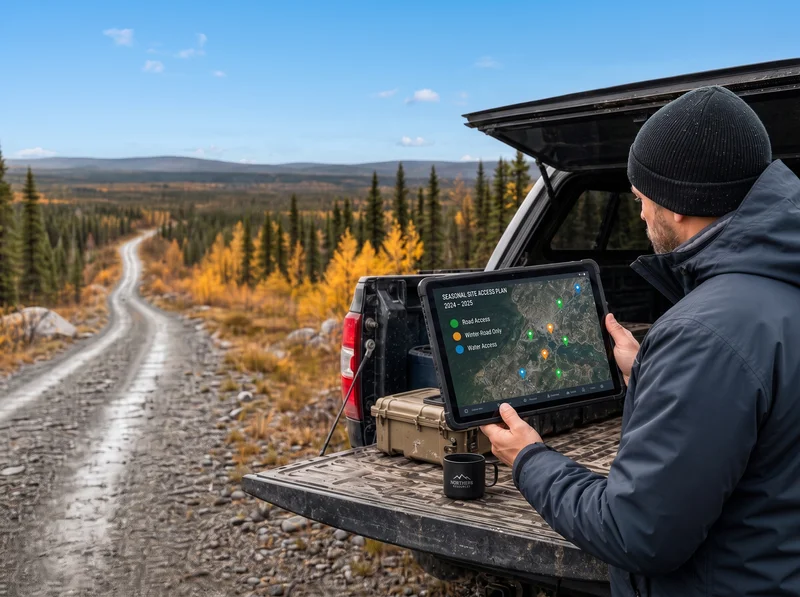
Field teams rarely work in ideal conditions. Pipeline corridors, remote well sites, wilderness assessment zones, and offshore platforms are not famous for reliable cell service. Yet these are exactly the environments where accurate, timely data collection matters most.
Offline data sync solves this problem. It allows field teams to capture and work with data on their devices, with or without an internet connection, and automatically synchronize everything back to a central system the moment connectivity returns. This guide explains how it works, what to look for in a solution, and how different industries are using it today.
Why Connectivity Cannot Be a Prerequisite for Field Work
When field software requires a live internet connection, the consequences are predictable. Data gets recorded on paper, transcribed back at the office, and errors multiply at every step. Teams that lose connectivity mid-task lose productivity. Updates that depend on a signal arrive late or not at all.
The core problem is not the internet itself. It is software that was designed assuming connectivity is always available. Field operations demand the opposite approach: an offline-first design where the device is the primary point of data capture and the server is updated when conditions allow.
For organizations running remote field operations, this is not a nice-to-have feature. It is the baseline requirement for keeping data accurate and teams productive in the field.
How Offline Data Sync Works
Understanding the mechanics helps when evaluating platforms and setting up workflows. Offline sync has three core components: local storage, synchronization, and conflict management.
Local Storage
When a field team member works offline, data is saved directly to their device. A well-designed system stores several types of information locally:
- Project data including maps, forms, custom templates, and reference documents, so everything needed on site is available without a connection
- A data queue that captures new entries and changes made offline, holding them until a connection is available
- Version control that tracks edits and prevents data loss if a device is interrupte
Mobile field data collection tools built for offline work store GPS-tagged photos, form submissions, inspection notes, and task completions locally, so nothing depends on a live signal.
Automatic Synchronization
When a connection is restored, the system synchronizes stored data with the central database. Modern sync methods focus on reliability and efficiency:
- Automatic detection constantly monitors for network availability and initiates sync as soon as a connection is established
- Smart sync prioritizes critical updates while managing bandwidth, so urgent data transmits first
- Background processing handles syncing quietly while users continue working without interruption
The sync process follows a consistent sequence: the app detects a stable connection, identifies changes made offline, transmits them securely, and confirms that all records have been updated.
Conflict Management
When field teams and office staff edit the same record independently, the system needs a way to resolve the discrepancy. A structured conflict management process identifies conflicting entries and gives users options: keep the offline version, revert to the central version, or merge both.
An audit trail of all updates supports manual review when conflicts are more complex, and ensures that every change is traceable.
Key Features to Look For
Not all offline sync solutions are built equally. When evaluating tools for field service management, these are the capabilities that matter most:
- Offline map viewing, so teams can download GIS layers and site details before heading into the field and navigate without a connection
- Custom mobile forms with fields for text, numbers, photos, GPS coordinates, and signatures, capturing exactly the data each project requires
- GPS tagging for all data and photos, automatically recording precise location data at the point of capture
- Role-based access control, limiting what each user can view or edit both online and offline
- AES-256 encryption to protect sensitive data stored on devices, with remote wipe capabilities if a device is lost or stolen
- Automatic logout after inactivity, preventing unauthorized access at unattended devices
Setting Up Offline Data Sync for Your Team
Deploying offline sync successfully requires planning before field teams go live. The setup process covers data structure, workflow configuration, and testing.
Data and Workflow Configuration
Start by identifying what your team needs offline: GIS maps, custom forms, inspection checklists, reference documents, and project templates. Configure data structures to include predefined fields, form libraries, and offline map layers matched to each project type.
Workflow setup should prioritize updates so that the most critical data syncs first when connectivity returns, and file sizes should be managed to keep sync times reasonable in low-bandwidth conditions.
Real-time project tracking tools that integrate with mobile offline workflows give project managers visibility into what has been captured in the field without waiting for manual reports.
Security Configuration
Protecting sensitive data offline is non-negotiable for environmental, oil and gas, and infrastructure projects. Key measures include:
- Device-level encryption to safeguard locally stored data
- Role-based permissions so each team member can access only what their role requires
- Remote wipe to erase data from lost or stolen devices
Testing Before Deployment
Testing should cover multiple scenarios before field teams rely on the system:
- Areas with poor or intermittent connectivity
- Different mobile devices and operating systems
- Diverse data types including large photos and multi-page forms
- Multiple users accessing the system simultaneously
Structured testing across setup, offline operation, sync performance, and security validation reduces the risk of issues in the field. Monthly system checks can catch problems before they affect live projects.
Industry Applications
Offline data sync is used across a range of field-intensive industries. Each has its own data requirements and compliance needs, but the core benefits are consistent.
Pipeline Inspection
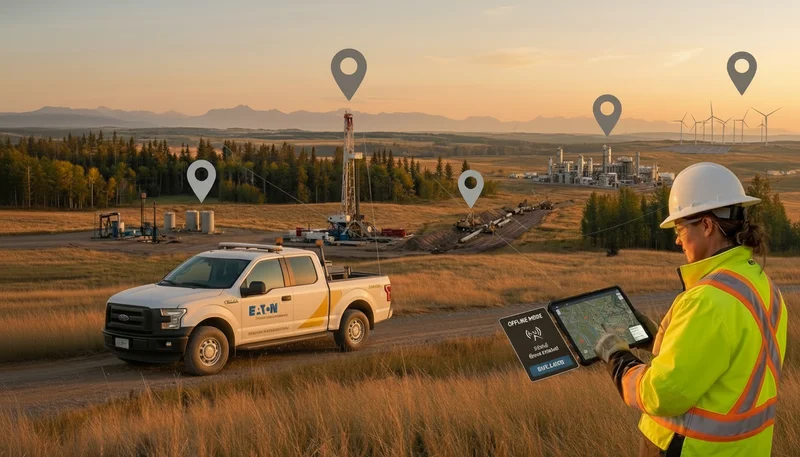
Pipeline networks span large distances, often through remote areas where cell coverage is unreliable. Offline sync allows inspectors to carry everything they need on their devices: pipeline schematics, inspection checklists, safety protocols, and asset records.
In the field, inspectors can record findings, attach photos, annotate conditions, document maintenance needs, and update asset status directly on site. When connectivity returns, everything syncs automatically with the central system, maintaining a complete and auditable record.
Teams working on oil and gas field operations use this approach to reduce the errors and delays that come from paper-based inspections and manual data entry.
Renewable Energy Site Assessments
Wind and solar site assessments involve collecting large amounts of data from geographically dispersed locations. Field teams analyze environmental and structural factors across multiple sites, often in areas without consistent connectivity.
Offline sync allows teams to continue data capture through each phase of an assessment:
- Site surveys using topographical maps and wind or solar measurement data
- Environmental impact documentation covering species tracking and habitat details
- Infrastructure planning with access road layouts and equipment specifications
For teams managing GIS workflows for renewable energy projects, offline capabilities ensure that spatial data collected in the field is accurate and complete, regardless of connectivity.
Environmental Field Sampling
Environmental services teams collect samples in remote locations where connectivity is often unavailable. Chain of custody documentation and regulatory compliance require precise, time-stamped records that cannot tolerate gaps.
Offline sync enables field teams to:
- Pinpoint exact sample locations using GPS coordinates
- Log collection methods, conditions, and observations for future reference
- Attach supporting materials such as photos and field notes
- Track chain of custody to meet regulatory requirements
This is particularly relevant for Phase I, II, and III environmental site assessments and remediation and reclamation projects where documentation quality directly affects compliance outcomes.
The Operational Impact
The benefits of offline data sync are measurable across three areas:
- Data accuracy: Eliminating paper forms and manual transcription removes a major source of error. Data is captured once, digitally, at the point of collection, and synced automatically
- Team efficiency: Field teams work continuously without waiting for a signal. No downtime, no duplicate entries, no end-of-day data entry sessions
- Compliance readiness: Complete, GPS-tagged, time-stamped records are available for regulatory review at any point, with a full audit trail of every change
For teams currently managing field project budgets across multiple remote sites, real-time data availability also means fewer surprises: cost overruns and schedule issues surface faster when field data reaches project managers the same day.
Frequently Asked Questions
How does offline data sync improve accuracy?
Offline sync allows field teams to work with the most current information available, captured digitally at the point of collection. When a connection returns, automatic sync eliminates the manual transcription step where most errors occur.
How is offline data kept secure?
Strong encryption protects data stored on devices. When the device reconnects, data transmits through encrypted channels to the central system. Role-based access controls limit who can view or edit information both on and offline.
What happens when offline and central data conflict?
A conflict management process identifies discrepancies and offers resolution options: keep the offline version, revert to the central data, or merge both. An audit trail supports review of more complex cases.
See how Matidor's offline-first mobile platform works for remote field teams. Explore Field Operations
.webp)
.webp)
.webp)
.webp)
.webp)
.webp)
.webp)
.webp)
.webp)
.webp)
.webp)
.webp)
.webp)
.webp)
.webp)
%20(2).webp)
.webp)
.webp)
.webp)

















.webp)

.webp)

.jpg)


%20(1).webp)




.jpg)

.jpg)
.jpg)
.jpg)

.jpg)