
Keep Field Teams Productive in Dead Zones
Offline-first mobile apps that work anywhere. Sync automatically when connectivity returns. No internet required, no productivity lost.
Overview
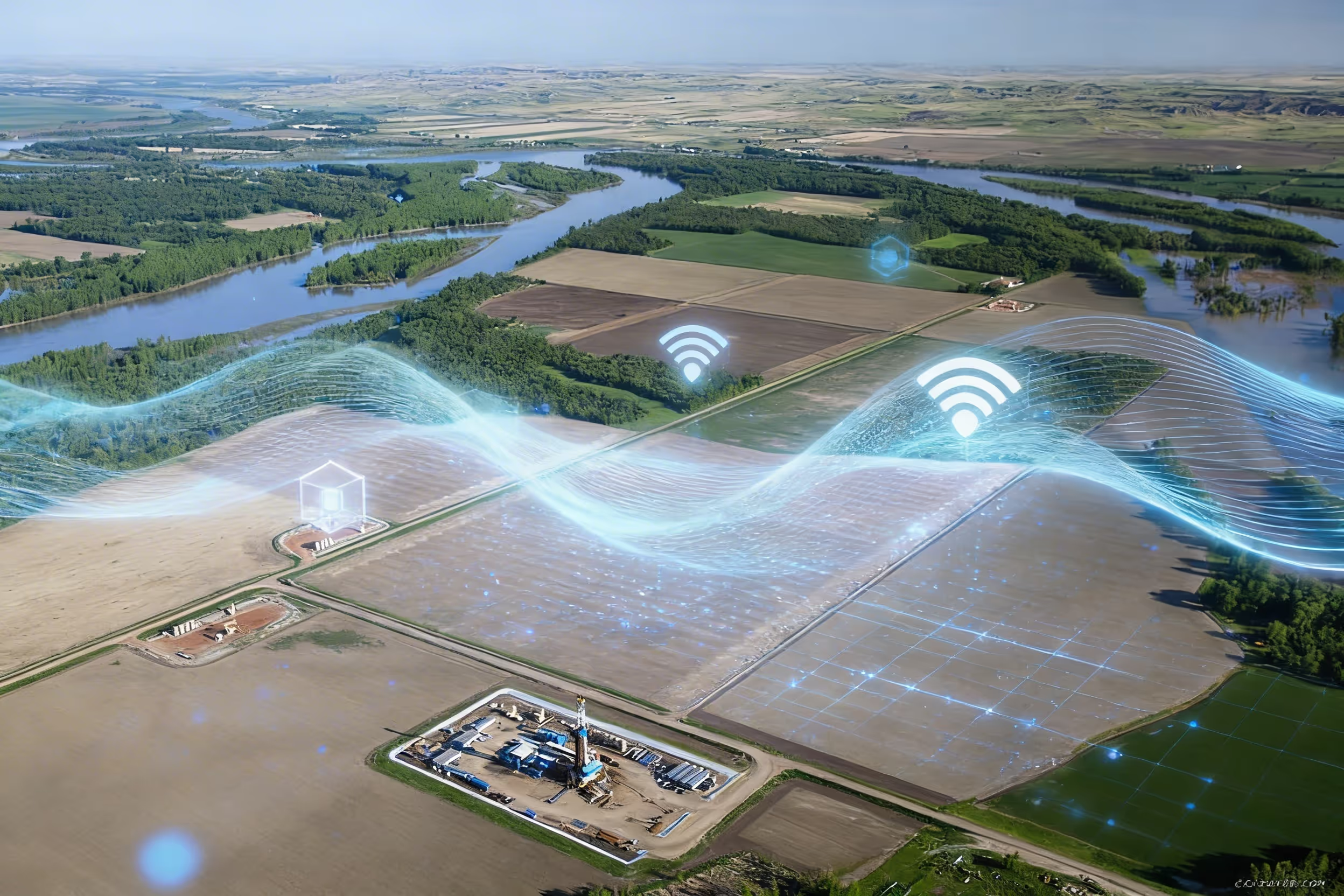
Matidor mobile apps are built offline-first. Technicians collect data, capture GPS-tagged photos, and complete work orders without any connectivity. Everything stores locally and syncs automatically when connection returns. Your most remote sites become as connected as your office, just on a delayed schedule. Cell service is a luxury at remote well sites, offshore platforms, and wilderness assessment zones. Your field teams cannot wait for WiFi to log data, capture photos, or submit reports. They resort to paper forms and phone calls, creating transcription delays and data errors that undermine the whole purpose of having field software.
See exactly how the workflow operates in the mobile offline mode tutorial for remote field work.
Trusted Field Operations Software for Remote Sites






.png)








Field Operations That Work in Remote Locations
Mobile Data Collection
- Offline Mobile Data Collection: Collect data even without internet connectivity, forms capture information offline, data syncs automatically when connectivity returns
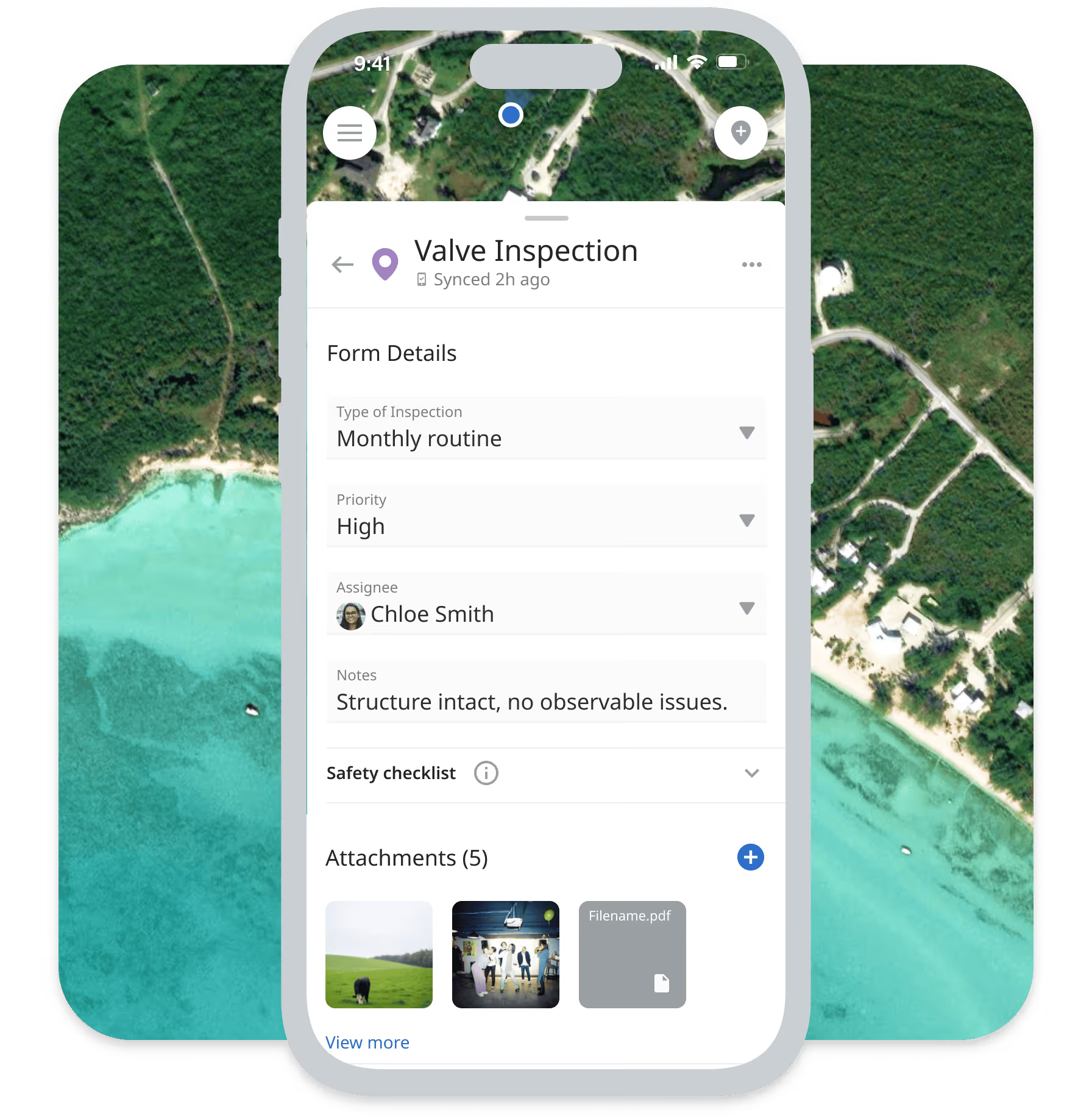
- Custom Mobile Forms: Create forms matching your specific data collection needs with fields for text, numbers, dates, selections, photos, and signatures
- Real-Time Photo Documentation: Capture photos with automatic GPS location data and timestamps, organize photos by project, task, and location
- GPS Location Capture: Automatic GPS tagging for all field data, photos tagged with precise location coordinates
- Vegetation Management / ROW Inspection: Preload custom corridor inspection and treatment forms. Collect GPS-tagged survey data, count records, and treatment documentation fully offline. Sync with one tap when crews return to coverage.
For file handling after capture, see how to upload, preview, organize, and filter project files and photos.
Navigation and Location
- Track Me: The mobile app shows your live location on the map so you know when you are close to a project or task location
- Get Direction: Automatically set navigation directions to task locations using Google Maps, optimize travel time between multiple site visits
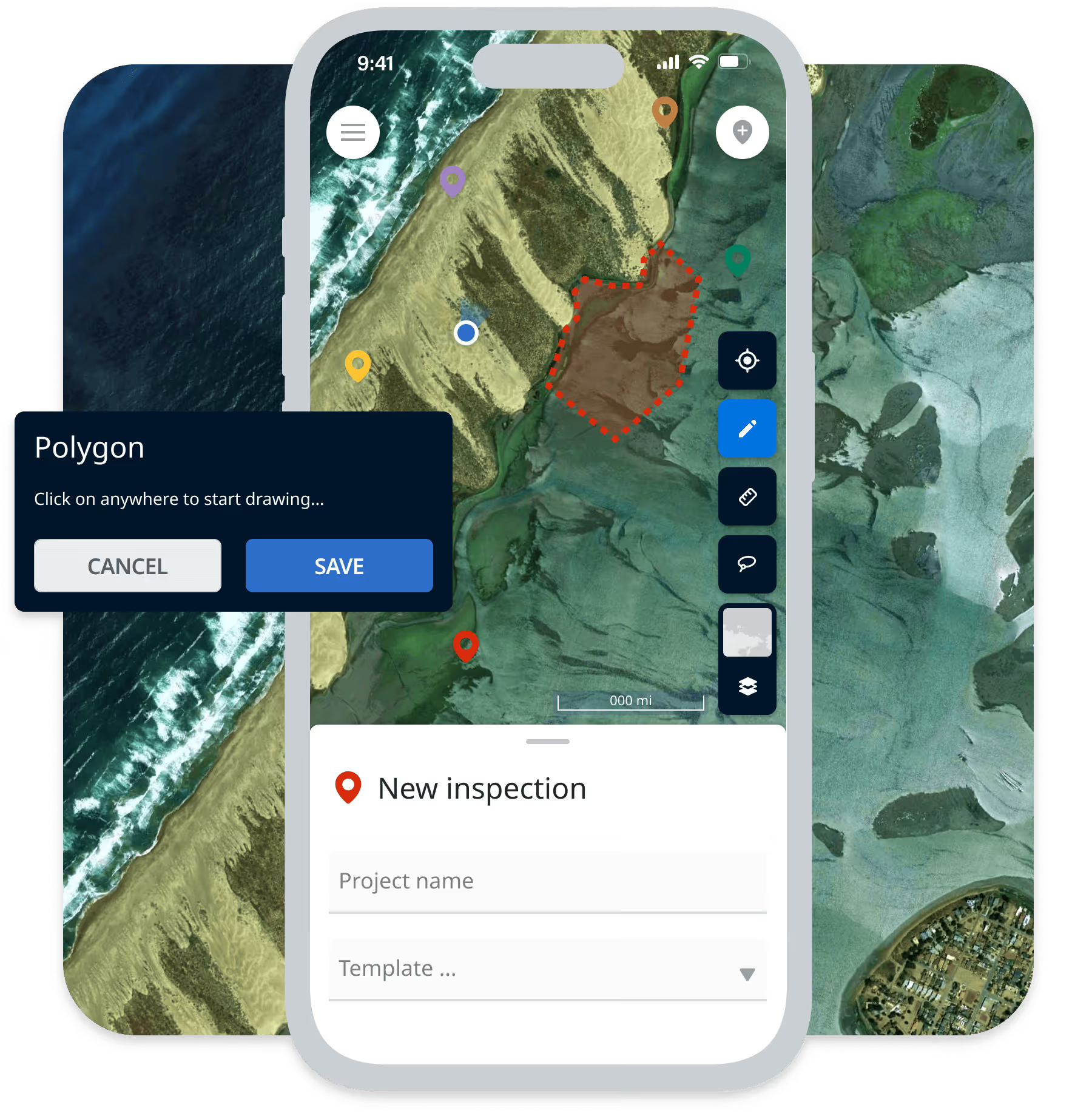
- Annotate on the Map: Mark down important locations or boundaries directly on the map while on site, draw property lines, note hazard areas
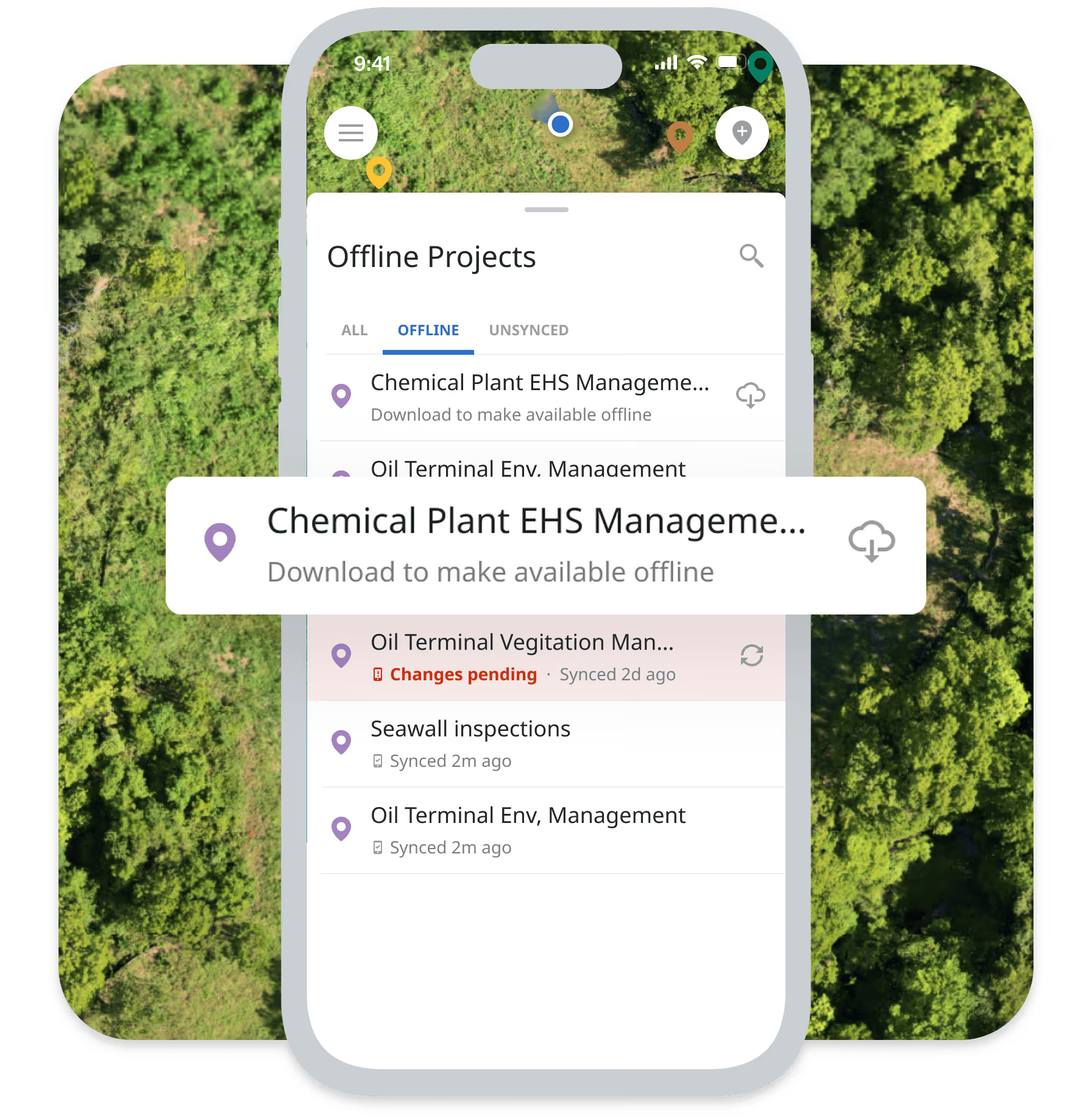
- Offline Map Viewing: Download maps for offline access before heading to remote sites, view site details without connectivity.
Work Management
- Work Order Management: Assign work orders to field teams via mobile app, technicians receive assignments and mark tasks complete from the field
- Project Access: Access important information from projects without bringing a binder of notes, view project details and documents on mobile device
- Progress Reporting: Field teams submit daily progress reports via mobile with photos, meter readings, and observations.
Integrated with Matidor's Platform

Budget and Cost Control
Field expenses and time entries tie automatically to projects for real-time budget tracking. Labor, equipment, and material costs logged in the field appear instantly in financial dashboards without manual data entry.
Location Intelligence
Photos and GPS coordinates captured through mobile apps plot automatically on your project maps. Field teams see their location relative to assigned sites, while office teams track work progress geographically in real-time.
Project Management
Completed work orders and uploaded photos update project status and timelines automatically. When field technicians mark tasks complete, project managers see real-time progress without calling the field.
Learn more about Project Management →
Offline-First for Remote Operations
Unlike paper forms requiring manual data entry, consumer tools (WhatsApp, text messages) with no audit trails, or generic apps requiring constant connectivity, Matidor provides offline-first mobile apps built specifically for field operations with compliance-grade documentation and automatic sync.
Key Advantages:
- Full offline capability: Work productively in complete dead zones.
- GPS-tagged photos: Automatic location data for compliance documentation
- Auto-sync when connected: No manual data entry or transcription
- Audit-ready trails: Complete documentation of who, what, when, where
- Integrated with platform: Field data flows to projects, budgets, and maps automatically.

Field Operations by Industry
Oil and Gas
Pipeline Integrity in Remote Corridors
Operations manager oversees 500 miles with zero cellular coverage. Paper forms got lost, photos lacked metadata.
With Matidor: Technicians load routes offline. Custom forms capture readings completely offline. Photos auto-tag with GPS. High-risk findings trigger alerts when synced.
Result: Inspection cycles up to 30% faster with issues identified 5-7 days earlier.
Learn more about oil & gas operations solutions →
Environmental Services
Phase II Site Assessments
Environmental consultants conduct Phase II assessments at remote sites. Paper forms and disconnected photos create chain of custody confusion.
With Matidor: Custom forms for soil samples, groundwater readings, and observations work completely offline. Photos automatically tag with GPS coordinates and timestamps. Chain of custody documentation built into forms.
Result: Complete audit trail for compliance. No transcription errors. Faster report turnaround.
Learn more about environmental services solutions →
Multi-Site Operations
Performance Monitoring and Maintenance
Operations manager oversees energy installations with technicians capturing thermal images and performance data at remote sites where manual data entry previously delayed issue identification.
With Matidor: Technicians use offline mobile forms to log performance metrics and capture thermal images with GPS tags. Data syncs automatically when back in service range. Maintenance issues trigger work orders immediately.
Result: Faster issue identification. Better maintenance tracking. Reduced equipment downtime.
Learn more about solutions for other industries →
Teams Using These Capabilities

Project Forest Case Study
West Country Case Study
Peyto Case Study
Frequently Asked Questions
The mobile app stores all data locally on the device when offline. Field technicians fill out forms, capture photos, and complete tasks exactly as they would with connectivity. When the device regains network connection (cellular or WiFi), data syncs automatically to the central system without manual intervention. This ensures zero productivity loss in remote locations.
Yes. Before heading to remote sites, download project details, task assignments, maps, and documents for offline access. Field teams view everything they need without connectivity. Any updates they make (completing tasks, adding notes, capturing photos) save locally and sync when connection returns.
Create unlimited custom forms with text fields, number inputs, date pickers, dropdown selections, checkboxes, photo capture, signature capture, and GPS location tagging. Build different forms for different work types (inspections, assessments, maintenance, safety checks). Forms include validation rules to ensure data quality.
GPS coordinates are accurate within 5-10 meters in open areas with clear sky visibility. All photos and form submissions include automatic GPS coordinates, timestamps, and user attribution for complete audit trails. This meets compliance requirements for most environmental and energy regulations.
Yes. Set photo requirements in custom forms so technicians cannot submit without capturing required images. Specify minimum number of photos, photo types (before/after, specific angles), and associated descriptions. This ensures complete documentation for compliance and quality control.
When field data syncs, project status updates automatically in real-time dashboards. Completed tasks change project progress indicators. Field costs appear in budget tracking immediately. Photos plot on maps with GPS coordinates. Project managers see updates without calling the field.
Yes. Matidor mobile apps are available for both iOS (iPhone, iPad) and Android (phones, tablets). All features work identically across platforms. Field teams use whichever device type they prefer or already own.
Yes. Field technicians log time entries and expenses directly through the mobile app. Time entries associate with specific projects and tasks for accurate labor cost tracking. Expenses include photos of receipts and automatic GPS location. All time and expense data flows to budget tracking automatically.
Data on lost devices is protected by device-level encryption and remote wipe capabilities. Unsynced data remains on the device until recovered or synced. For critical operations, configure automatic sync intervals when connectivity is available to minimize data loss risk.
Yes. Configure required fields, minimum photo counts, mandatory signatures, and validation rules in custom forms. Field technicians cannot submit incomplete forms, ensuring data quality and compliance documentation standards.
Implementation includes role-based mobile training for field technicians. Training covers offline workflows, form completion, photo documentation, and sync procedures. Video tutorials and quick-reference guides support ongoing learning. Most field teams become proficient within 1-2 weeks.
Yes. Download project documents, site plans, engineering drawings, and reference materials for offline access before heading to remote sites. Field teams view PDFs, images, and documents directly on mobile devices without connectivity.
See Matidor in Action With Your Project Data

See Portfolio Management in Action
Schedule a 30-minute demo. We'll show you how field teams use offline mobile apps for your specific workflows with automatic sync and compliance documentation.
You'll See:
- Your custom forms working offline
- GPS-tagged photo documentation
- How field data flows to projects and budgets automatically
- Offline map viewing and navigation
Or Start Free for 14 Days
Get full platform access immediately. Download the mobile app. Create custom forms. Test offline capability at your remote sites.
- Full access to all field operations features
- Live chat support during trial
- No credit card required
- Cancel anytime