
Manage 50+ Projects Without Losing Track
Portfolio dashboards show every project's health at a glance. Color-coded status, custom workflows, centralized communication. Scale without chaos.

Overview
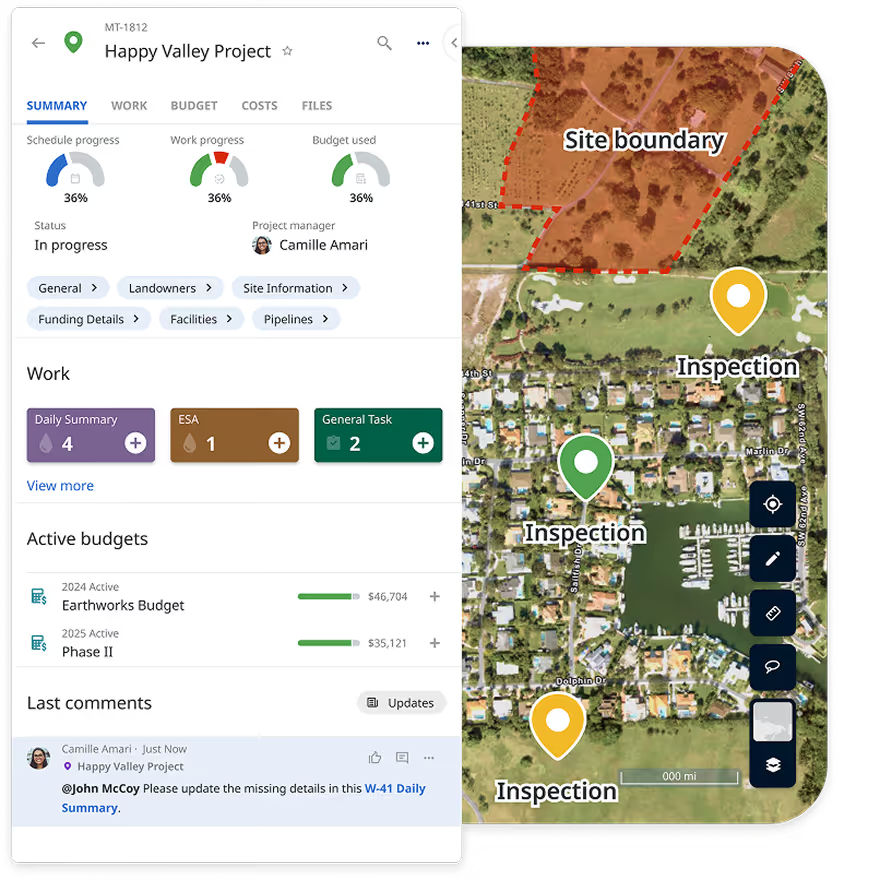
Managing five projects in a spreadsheet works fine. Managing fifty is impossible. When you can't see portfolio-level health, critical projects slip through the cracks. You spend Tuesday's meeting discussing Project A while Project B quietly slides three weeks behind schedule. Matidor's portfolio management shows all projects on one dashboard and one map. Color-coded status reveals which need attention. Custom workflows enforce best practices. Centralized communication replaces email threads. Portfolio visibility that scales from 10 to 100+ projects without adding complexity.
Trusted Project Management for Multi‑Site Operations Teams


.png)

.png)









Project Management That Works for Complex Operations
Organization and Structure
- Projects and Subprojects: Create projects with custom fields, organize into phases using subprojects, use templates for consistency.
- Portfolio Management: Group related projects into portfolios, track 50+ sites as unified portfolios, roll up budget and schedule performance.
- Role-Based Access: Define roles matching your structure, protect sensitive data, grant contractors project-specific access.
- Custom Workflows: Create workflows matching your processes, enforce through automatic approvals and quality gates.
Standardize every new project with the same fields and settings. Watch how to configure reusable project templates in Matidor.
Execution and Tracking
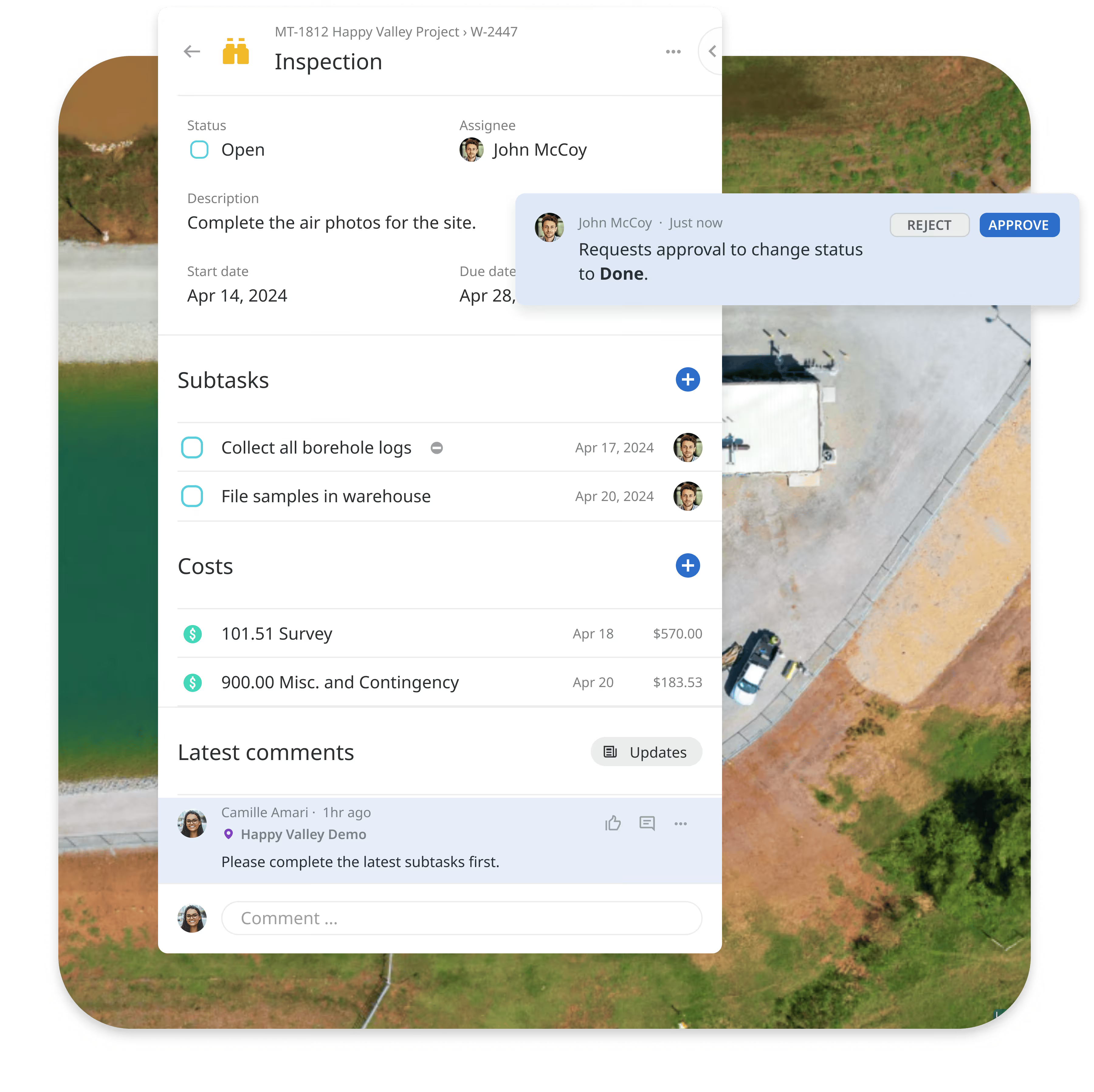
- Task Management: Break projects into tasks with clear ownership and deadlines, use subtasks for complex work, track status from assigned to completed.
- @Mentions and Notifications: Mention specific people to notify them instantly, action-based notification system ensures visibility.
- Centralized Document Repository: Attach documents to projects and tasks, create task-specific folders, secure contractor access.
- Activity Streams: See what's happening across projects, track who changed what and when, complete transparency and audit trails.
- Mobile Project Management: Access project status from anywhere, works offline in remote locations, automatic updates when field work completes.
For a practical example of keeping discussions attached to the work, see how to use Smart Comments, mentions, and linked project items.
Discovery and Access
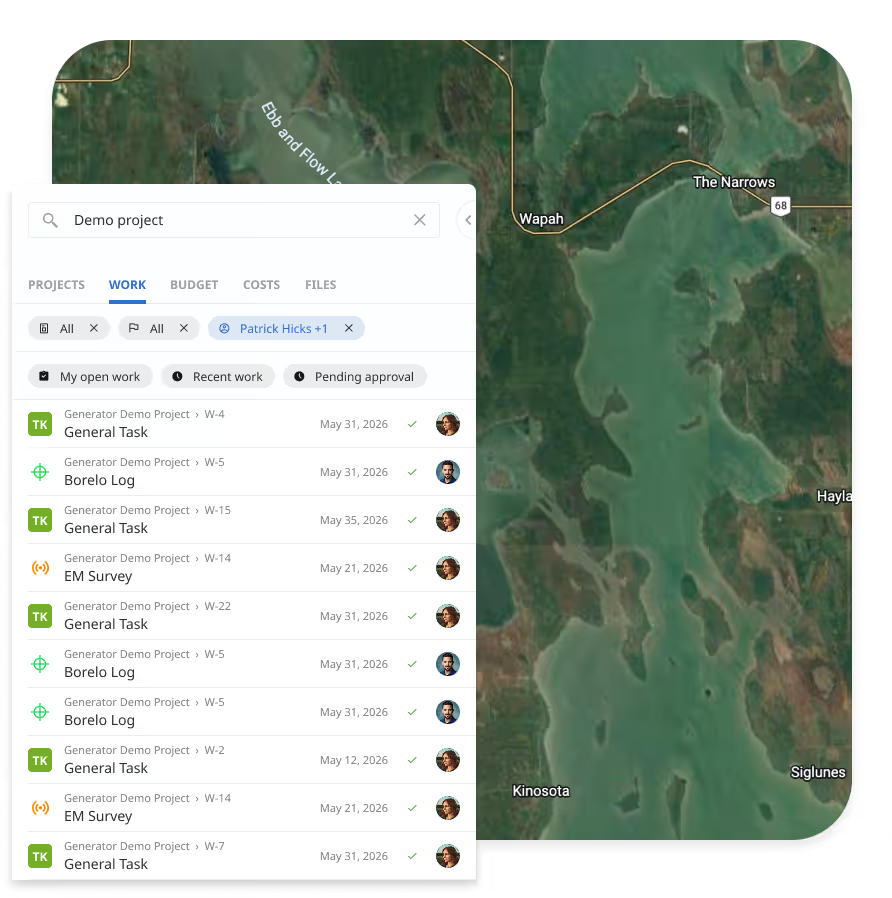
- Search and Filtering: Locate any project, task, or document in seconds, search across all data or narrow by specific criteria.
- Data Tables and Custom Views: Query and filter data interactively without exporting to Excel, save custom views for reuse.
- Visual Timelines: View resource utilization across portfolio, spot overallocation and conflicts, optimize based on availability.
- Geographic Project Visibility: See where work happens on interactive maps, coordinate multi-site work based on proximity.
See how to customize, edit, and save reusable data-table views for faster portfolio tracking.
Visibility and Reporting
- Real-Time Dashboards: View all projects with color-coded status, get instant alerts when issues arise, updates as field work completes.
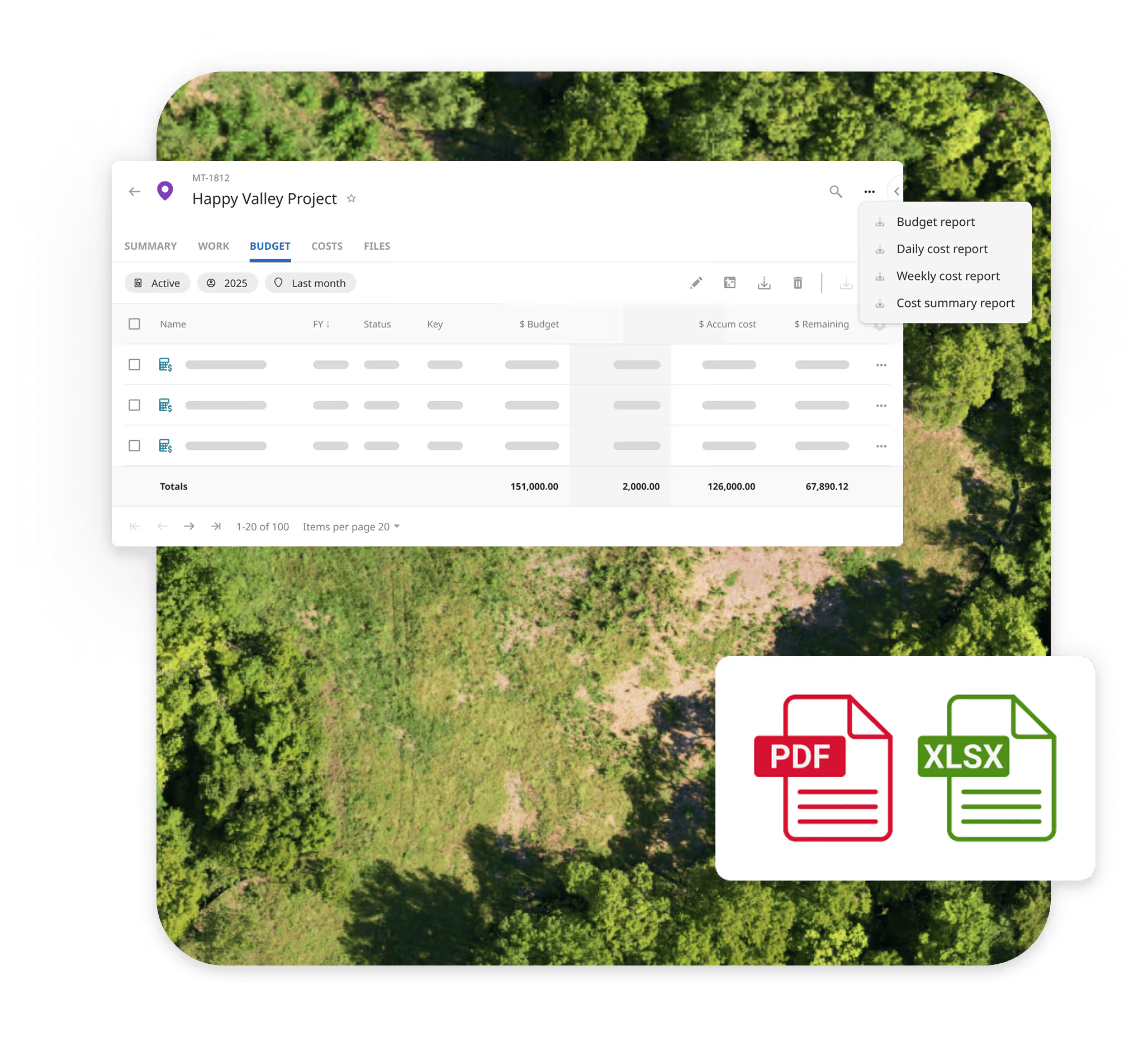
- Pre-Built Reports: Generate project summaries with one click, customize for stakeholder needs, export to PDF/Excel/Word.
- Automatic Updates: Schedule automatic summary reports by email (daily, weekly, monthly), keep stakeholders informed without requests.
- Power BI Integration: Connect data to Power BI for advanced visualization, build custom dashboards combining multiple sources.
Watch how to generate client-ready project, work, and budget PDF reports with control over maps, photos, comments, fields, and timestamps.
Integrated with Matidor's Platform

Real-Time Budget and Cost Control
Link budgets directly to projects so every dollar connects to deliverables. Track spending against allocations in real-time with automated alerts before overruns happen.
Learn more about Budget and Cost Control →
Location Intelligence
Every project appears on interactive maps automatically with real-time status updates. Track project status geographically, identify nearby projects for crew coordination.
Learn more about Location Intelligence →
Field Operations Integration
Field technicians collect data offline, then project status updates automatically when work completes. Field expenses tie to projects for live budget tracking.
Learn more about Field Operations →
Portfolio Management Without the Complexity or Cost
Unlike spreadsheets requiring manual consolidation and offering no portfolio visibility, generic PM tools without budget integration or offline capability, or enterprise ERP systems with 6-12 month implementation timelines, Matidor provides multi-site project management with real-time budget tracking and geographic coordination built in.
Key Advantages:
- Built for field operations: Manage 75 wells, 30 sites, or multiple facilities as unified portfolios
- Real-time budget visibility: See costs approaching limits before overruns occur
- Field operations integration: When technicians complete work, project status updates automatically
- Geographic coordination: See projects on maps, coordinate resources by proximity
- 4-6 week implementation: Operational quickly without enterprise complexity
Project Management by Industry
Oil and Gas
Well Abandonment Program Management
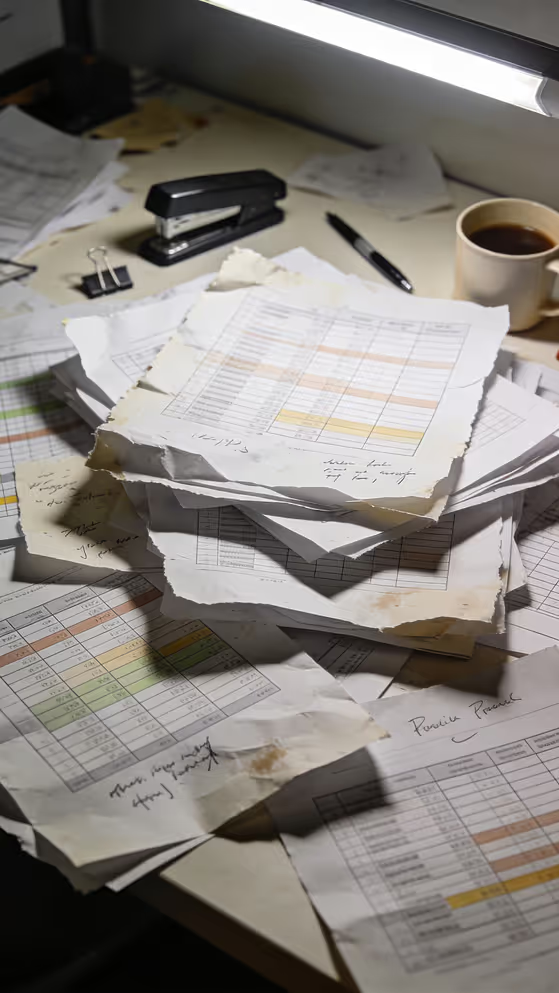
Operations manager oversees 75 wells over 18 months with multiple contractors. Data in spreadsheets. Work orders via email. Budget tracking in accounting system PMs can't access.
With Matidor: Each well becomes project with standardized phases. Contractors submit via portal. Real-time dashboards show status and budget. Monthly reporting automates. Documentation audit-ready.
Result: Zero missed regulatory deadlines. Budget holds across all wells. Systematic tracking replaces chaos.
Environmental Services
Environmental Services
Firm manages 30 active remediation sites for different clients across jurisdictions. Each has own timeline, budget, regulatory requirements. Consolidating status takes days.
With Matidor: All 30 sites organize into one portfolio with phase templates. Dashboards show which sites on track. Reports generate in minutes. Budget tracking catches overruns early.
Result: Consistent on-time delivery. Clients informed without constant updates. Profitability predictable.
Multi-Site Operations
Complex Project Coordination
Operations director coordinates multiple projects at different stages across five states, managing construction, commissioning, and operational handoff.
With Matidor: Portfolio dashboards show all projects with standardized phases. Geographic map identifies nearby projects for coordination. Real-time status eliminates weekly consolidation.
Result: Portfolio visibility improves. Coordination based on proximity. Executive reporting automated.
Learn more about solutions for other industries →
Teams Using These Capabilities
NorthWind Case Study

Earthmaster Case Study

Karve Case Study
Frequently Asked Questions
Yes. Build unlimited project templates tailored to each project type. Each template includes standard phases, task sequences, custom fields, approval workflows, and checklists. When you create a new project, select the template and everything auto-populates.
Real-time task tracking and automated alerts keep projects on schedule. Set deadline dates for tasks, then the system sends automatic reminders when deadlines approach. The portfolio dashboard shows which projects are tracking on schedule and which are falling behind for early intervention.
The portfolio dashboard provides unified view of all work. Filter and sort by priority, deadline, status, or team member to understand what needs attention first. Alerts notify when critical work is at risk.
Generate unlimited reports on demand showing project status, budget versus actual, task completion, team workload, or any metrics stakeholders need. Export as PDF or Excel.
Comment directly on tasks and projects, mention team members using @mention feature. Real-time notifications alert them. Attach documents to tasks with version history. Everything stays organized and searchable.
Set total budget when creating project, then track actual expenses automatically in real-time. Alerts trigger when spending approaches limits (70%, 90%, 100%). View budget versus actual with breakdowns by cost category.
[See complete budget and cost control details →]
Yes. Assign tasks to multiple team members simultaneously. Each receives notification. Everyone sees updates to the shared task. For complex work requiring different skills, create parent task with subtasks assigned to different owners.
Yes. Create contractor accounts with role-based access restrictions. Contractors access only specific assigned projects without seeing your entire portfolio or sensitive data. Define what each role can view and edit.
Create parent projects with subprojects to track phases, set dependencies between tasks, define milestones with target dates, and view timeline visualizations showing critical path and resource allocation. Automated alerts notify stakeholders when milestone deadlines approach or dependencies are at risk.
Yes. Matidor integrates with time tracking and accounting systems such as Replicon, Harvest, QuickBooks Online, and Deltek Vantagepoint to pull time and labor cost data directly into your project budgets. Once synced, employee timesheets and labor hours are automatically allocated to projects, and labor costs calculate based on hourly rates from your existing system. This gives you real-time visibility into labor spending by project and by individual team member, without requiring your team to log time in a separate tool. Matidor does not include a native time tracking feature. Instead, it serves as a centralized hub where time and cost data from your preferred systems flow in automatically, eliminating duplicate data entry and keeping your budgets current as work happens.
Generate status reports, budget variance reports, timeline/Gantt charts, resource allocation reports, task completion reports, and custom reports filtered by any project attribute. Export reports as PDF or Excel. For more advanced reports, connect to PowerBI.
Use role-based permissions to control project visibility. Create confidential projects visible only to specific users or roles. Contractors and external stakeholders can access only projects explicitly assigned to them without seeing your complete portfolio.
See Matidor in Action With Your Project Data

See Portfolio Management in Action
Schedule a 30-minute demo. We'll show you how to manage your specific project portfolio with real-time dashboards, custom workflows, and geographic coordination.
You'll See:
- Your projects displayed on portfolio dashboards
- How custom workflows would enforce your processes
- Geographic coordination for multi-site operations
- Real-time budget tracking integrated with projects
Or Start Free for 14 Days
Get full platform access immediately. Import your current projects. Build custom templates. See real results with your data.
- Full access to all features
- Live chat support during trial
- No credit card required
- Cancel anytime