
Monday.com Is a Great Work OS. It Just Wasn't Built for Field Operations.
Monday.com excels at office workflows and task management. If your teams work in remote sites with no connectivity, track real project budgets against contractor costs, and need to see every asset on a live map, you need something purpose-built for the field.
Overview
Monday.com is one of the most popular work management platforms in the world. Intuitive interface. Flexible boards. Strong automations. For marketing teams, product teams, and office-based operations, it delivers real value.
But field operations are different. Your crews work in dead zones with zero cellular coverage. Budget overruns happen before the invoice arrives. Your 50 sites need to be visible on a map, not buried in a board. Contractors need structured access, not a seat that can see everything.
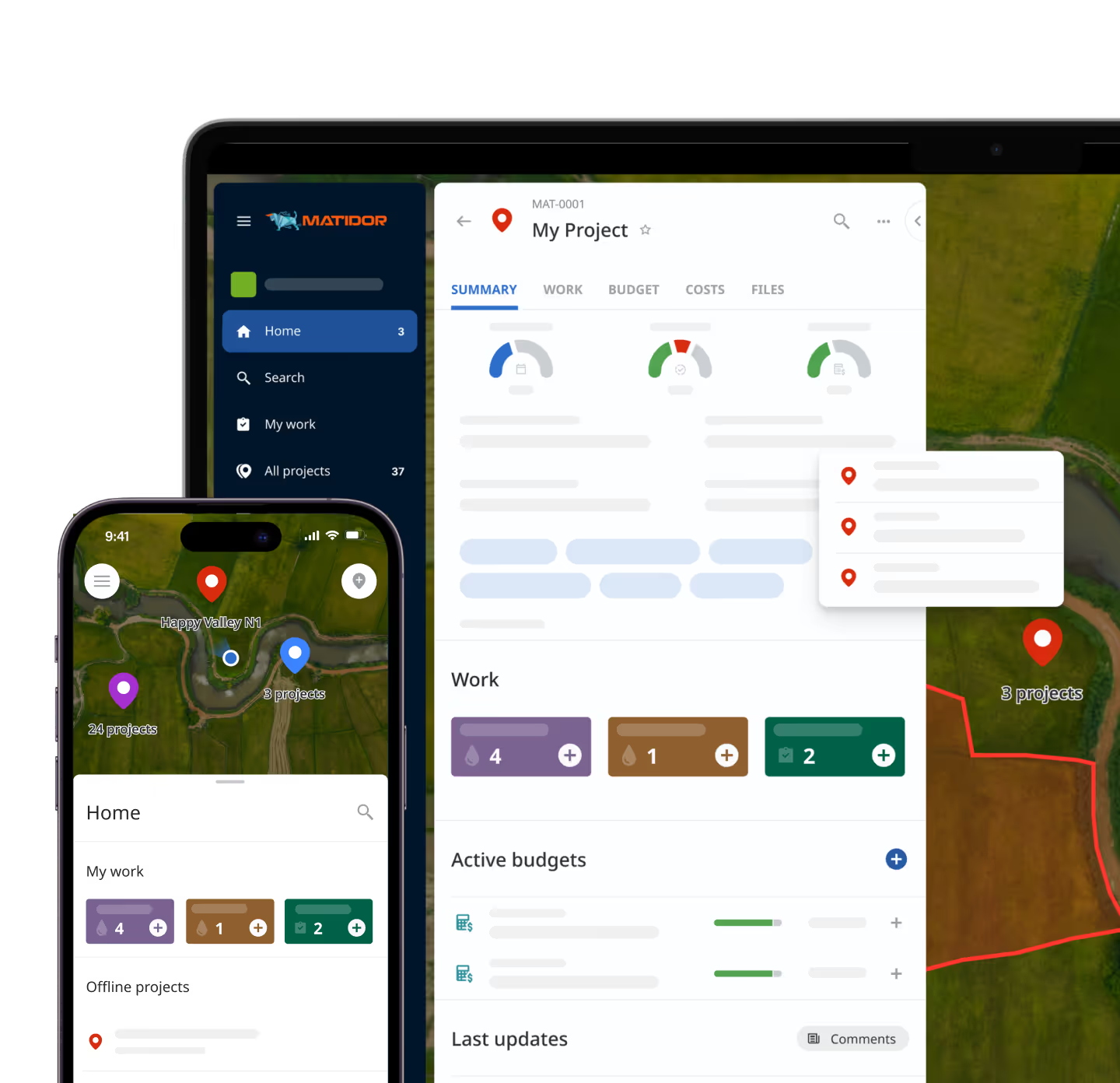
Matidor was built for exactly this context: Multi-site field operations where location matters, connectivity is unreliable, budgets must be controlled in real-time, and compliance documentation is non-negotiable.
This page compares the two platforms for the specific context of field operations management. Both platforms are updated frequently - all comparisons reflect publicly available information as of June 2026.
Please verify current Monday.com features and pricing at monday.com.
How Matidor and Monday.com Compare for Field Operations
Comparison basis: field-operations use cases in industries like oil & gas, environmental services, vegetation management, construction, and utilities. Feature availability may vary by Monday.com plan and may change over time. See full disclaimer below table.
Note: Monday.com is a trademark of monday.com Ltd. Use of the name on this page is for comparison purposes only. Matidor is not affiliated with or endorsed by monday.com Ltd. This comparison reflects Matidor's understanding of publicly available information as of June 2026. Monday.com capabilities, pricing, and plans change frequently - verify current details at monday.com. If you find inaccuracies, contact info@matidor.com.
Monday.com Is the Right Choice – For a Different Job
When Spreadsheets Become Limiting
Monday.com is genuinely excellent software for the use cases it was designed for. If your team matches any of the following profiles, Monday.com may serve you better than Matidor.
Monday.com is a strong fit when your primary workflows are:
- Office-based with reliable internet connectivity across all work locations
- Marketing campaigns, product backlogs, HR processes, or cross-functional task management
- Fast self-serve setup with minimal onboarding required
- Flexible task boards across multiple departments and team types
- Diverse workflows that do not require deep field data collection, GIS, or offline capability
- Broad work management across a company, not just one operational department
Monday.com's strength is breadth and flexibility. It is a horizontal work management platform used across industries and team types. That same design is also why field operations teams — managing remote crews, compliance documentation, and contractor cost control — eventually hit its ceiling.

Where the Difference Becomes Operational
Offline Mode vs Offline-First Field Work
Monday.com provides an offline mode on its mobile app that supports many common board actions such as viewing and editing previously synced items when temporarily without a connection. For short disconnects, like commuting or working from a low-signal location, this is useful.
What it does not aim to do is run an entire day of structured inspections in a remote pipeline corridor, with preloaded forms, GPS-tagged photos, and map-centric workflows running without any signal for hours at a time. Preloaded offline GIS layers and offline-first inspection templates for field compliance programs are outside Monday.com's design scope.
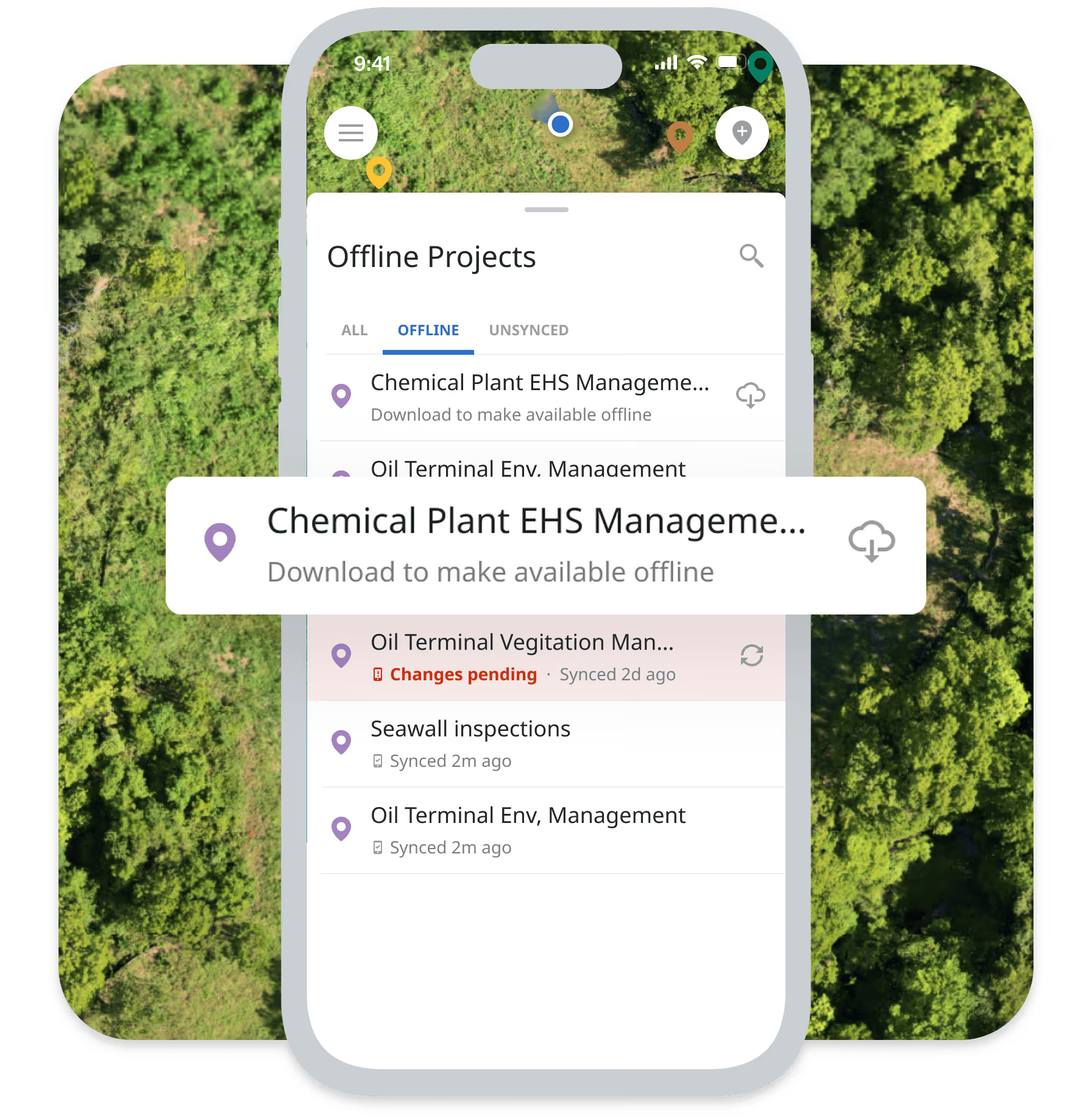
Matidor's offline capability was built from the ground up for field crews: custom forms and corridor maps preload to devices before crews leave, all data collection continues fully offline, and one tap syncs a complete dataset when connectivity returns. For field operations where unreliable connectivity is the rule rather than the exception, that architectural difference is material.

Visual Boards vs GIS-Native Maps
Monday.com offers multiple visual views — boards, timelines, dashboards, and Gantt-style views — that make project tracking clear and flexible for office teams. However, it does not include a native GIS engine for multi-layer geospatial mapping of project sites, regulatory zones, or right-of-way corridors. Those capabilities typically require separate GIS tools or third-party integrations.
For field operations teams, geography is not a nice-to-have. Which wells are within the same regulatory jurisdiction? Which remediation sites share a contractor crew? Which ROW segment is adjacent to a protected species area? A list of projects answers "what exists." A map answers "how to manage it."
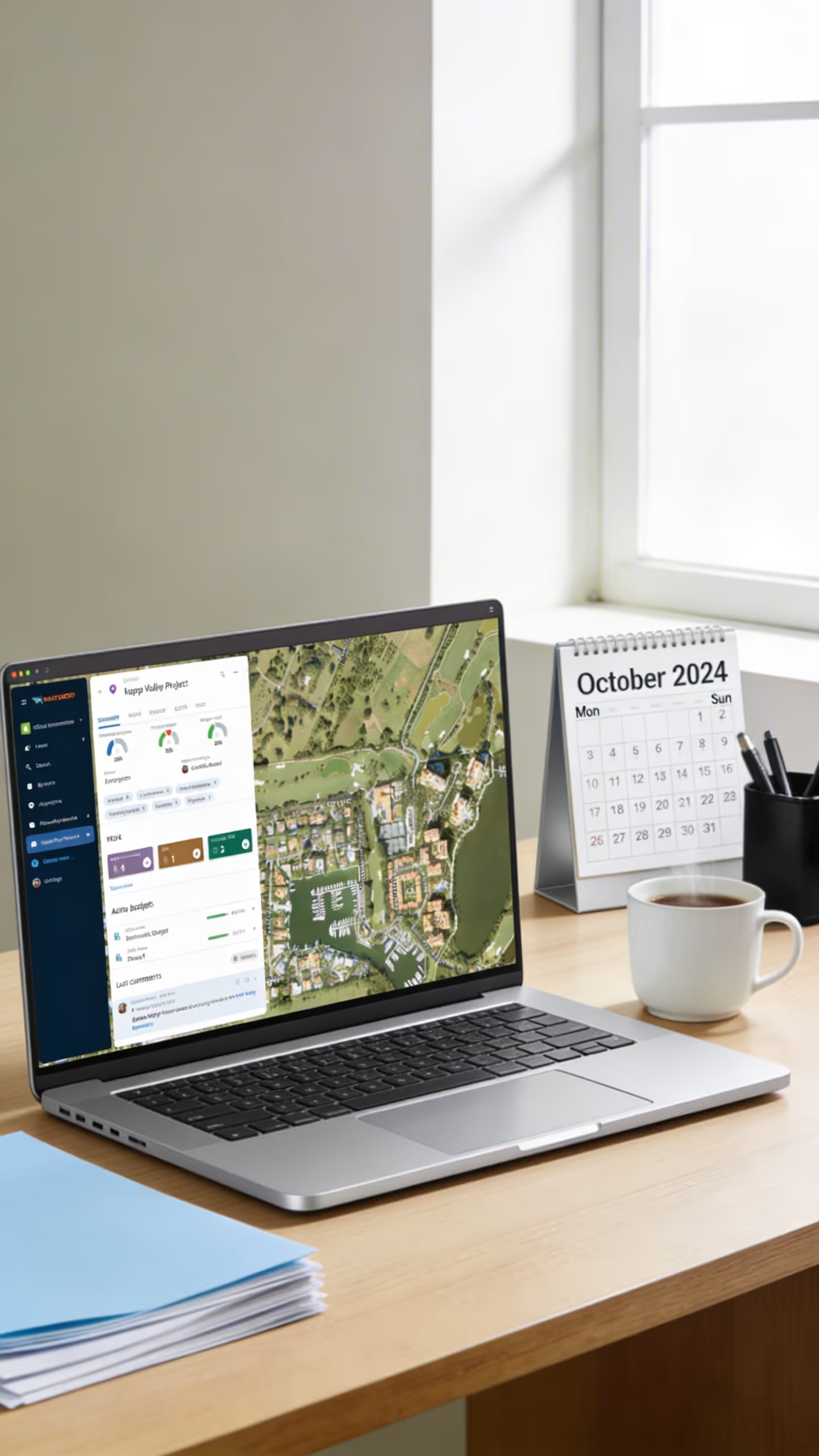
Matidor's GIS-native architecture means every project, task, and budget item is linked to a location by design — not added as an afterthought. Interactive maps with multi-layer visualization show regulatory zones, right-of-way corridors, environmental constraints, and asset disposition alongside real-time project status.
Board Budgets vs Real-Time Cost Control
Monday.com supports numeric columns and formulas that teams commonly use to track budgets or costs at the board level. For basic tracking, this works well. Out of the box, however, it is not a financial control system: field time logged on mobile does not automatically update project budgets, and there is no native automated threshold alerting or accounting-integrated accrual reporting.
In field operations on tight contracts, the gap between "budget visible today" and "budget visible when the invoice arrives" is where overruns happen. By the time the accounting system surfaces a variance, consultants have already billed past the limit.
In Matidor, when a field consultant or crew member logs time on mobile, that labor cost hits the project budget within minutes. Automated alerts fire at 70%, 90%, and 100% of allocation — giving managers time to act before the overrun is locked in. Month-end accrual reports generate in minutes without manual data assembly.

A Self-Assessment Framework
Monday.com is typically the stronger choice when:
- Primary workflows are office-based (marketing, product, HR, CRM, general projects) rather than multi-site field operations
- Teams have reliable internet connectivity at all work locations
- Budget tracking needs are relatively straightforward and manual updates are acceptable
- GIS mapping and geographic visualization are not required
- Rapid self-serve setup without guided onboarding is a priority
- The goal is a broad work OS that connects many different team functions in one platform
Matidor is typically the stronger choice when:
- Field teams work in remote locations with limited or no cellular coverage
- Operations span 10+ concurrent projects across multiple sites
- Real-time budget visibility and automated threshold alerts are operationally critical
- Geographic coordination affects resource allocation, compliance, or safety decisions
- Contractor workflows require structured access and standardized data submission
- The industry is oil & gas, environmental services, vegetation management, construction, utilities, or mining
- Compliance documentation with GPS-tagged evidence and full audit trails is required
- Implementation within 4–6 weeks is preferable to multi-month deployments
The two platforms serve different organizational needs and can coexist.
Side-by-Side for Field Operations Teams
Offline Field Data Collection
Monday.com:
Offline mode supports approximately 70% of board actions when disconnected, including viewing items and making many updates. Users work normally for short offline periods. The feature is designed for general use, not structured field inspection workflows built around GPS capture and offline-first data schemas.
Matidor:
Custom forms and maps preload to mobile devices before crews depart. All data collection — GPS-tagged photos, count data, inspection records, treatment documentation, compliance checklists — happens fully offline. Complete audit trail with timestamps and attribution for every submission.
Why it matters for field teams:
Field technicians in remote corridors, well sites, or environmental assessment locations cannot depend on intermittent connectivity for structured compliance data collection. The downstream cost is paper forms, transcription errors, and documentation gaps.

GIS and Location Intelligence
Monday.com:
No native GIS mapping or geospatial visualization engine. Individual item addresses can be displayed via integrations, but multi-layer regulatory overlays, corridor visualization, and portfolio-level geographic status views require separate GIS tools.
Matidor:
Interactive maps show every project and site geographically with real-time status. Multi-layer visualization overlays regulatory zones, right-of-way corridors, environmental constraints, species-at-risk areas, and permit boundaries. Portfolio map shows all active projects with color-coded health indicators. Every field data point is automatically GPS-referenced.
Why it matters for field teams:
Geographic context determines resource allocation, compliance exposure, and contractor routing. This is a structural requirement for oil & gas, environmental, and vegetation management operations.
Budget Tracking and Cost Control
Monday.com:
Budget tracking uses numeric columns within boards. Accounting integrations are available via the apps marketplace but require third-party configuration. No native automated spend threshold alerts tied to field submissions. Budget visibility depends on manual updates or integration build-out.
Matidor:
Field costs flow into project budgets in real-time as consultants and crews submit time and expenses on mobile. Automated alerts trigger at configurable thresholds. Native accounting integrations (QuickBooks Online, Deltek Vantagepoint, Harvest, Replicon) eliminate duplicate entry. Month-end accrual reports generate automatically.
Why it matters for field teams:
For field operations on unit-rate or lump-sum contracts, every undetected overrun chips directly into margin. Reactive budget visibility is a structural risk.
%20(5).png)
Contractor and External Access
Monday.com:
Guest seats allow external users to access boards with limited permissions. Granular access control, for example, showing a contractor their tasks but hiding your full portfolio and financial data, requires careful manual configuration of workspace and board-level permissions.
Matidor:
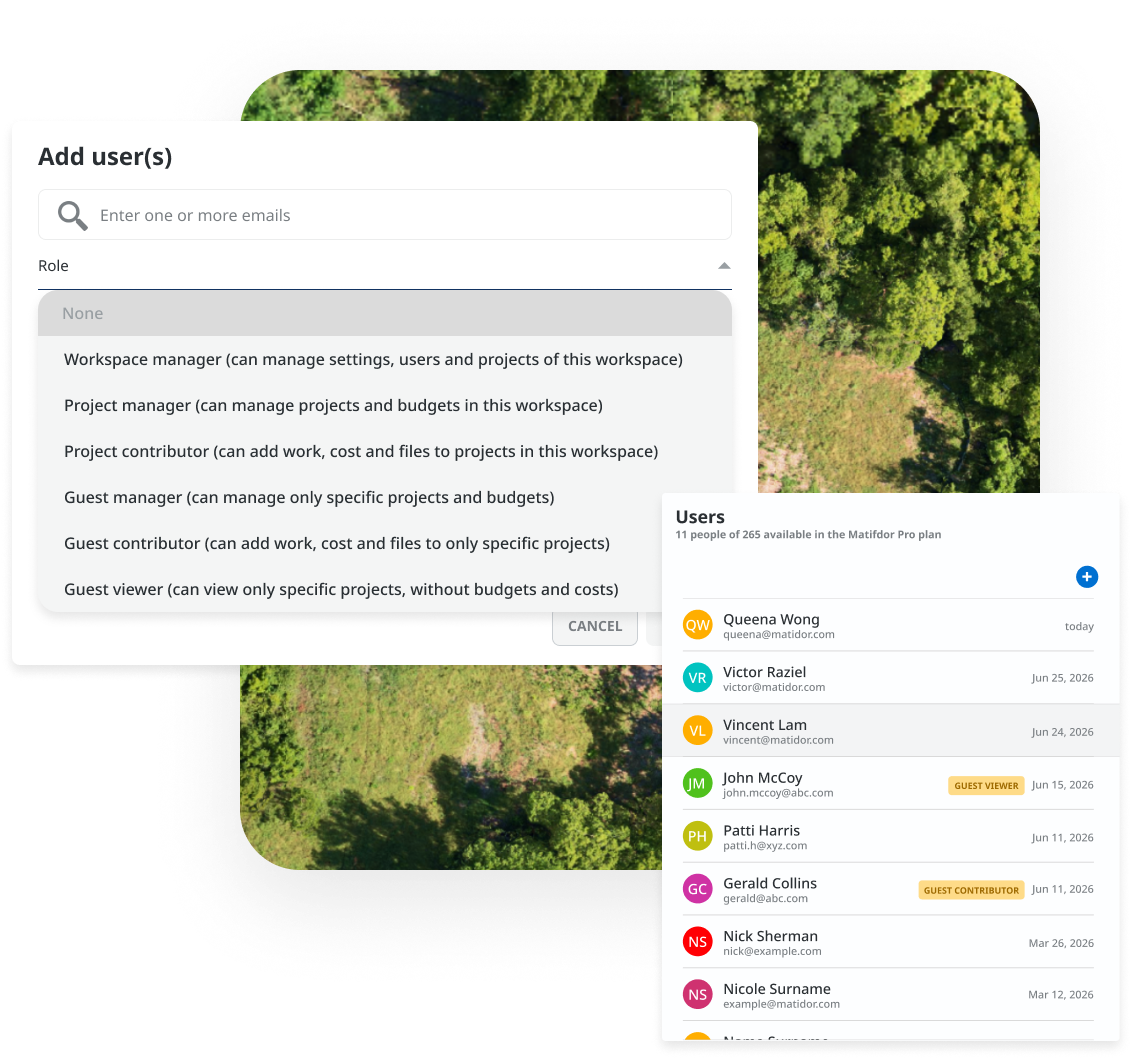
Purpose-built contractor portals give external firms access to only their assigned projects. No visibility into your broader portfolio, other clients, or financial information. All contractor submissions flow through the same standardized forms, eliminating consolidation work from contractors using different systems.
Why it matters for field teams:
Field operations typically involve multiple concurrent contractors. Without structured access, contractors either see too much or too little.
Industry-Specific Workflows
Monday.com:
Large template library covering marketing, HR, CRM, software development, and general project management. Field-operations-specific workflows such as Phase I/II ESA, AFE budget tracking, pipeline integrity inspection, ROW corridor survey require building from scratch.
Matidor:
Pre-built workflow templates for oil and gas (well abandonment, AFE tracking, pipeline integrity), environmental services (Phase I/II/III ESA, remediation, chain of custody), vegetation management (ROW inspection, IVM programs, treatment documentation), and construction. Custom form builder for industry-specific data requirements.
Why it matters for field teams:
Building field-specific workflows from a generic platform consumes implementation time and typically misses requirements that practitioners know from experience.
What Customers Say


Frequently Asked Questions
Matidor is purpose-built for field operations: Project management, budget control, GIS mapping, and offline mobile data collection for distributed teams. It is not designed to replace Monday.com's broad work management for office teams managing marketing, HR, or CRM workflows. Many organizations run Matidor for field operations and keep Monday.com for internal team workflows.
Monday.com's mobile app includes an offline mode that supports many common board actions — viewing and editing previously synced items — when temporarily disconnected. For teams whose field work involves short disconnects and light updates, this can be sufficient.
Field operations teams that need to preload inspection templates, capture GPS-tagged photos, and run entire days of structured work without connectivity typically require an offline-first design like Matidor's, where the complete workflow continues without a connection and syncs automatically on return.
Monday.com publishes per-user pricing on its website, with popular plans starting around $10–$12 per user per month when billed annually (pricing varies by plan, edition, and region). Matidor uses a field-operations pricing model based on team size, modules, and integrations. For most customers, Matidor represents a fraction of the cost of an enterprise ERP alternative and delivers ROI through reduced budget overruns and eliminated manual consolidation time. Contact the Matidor team for a comparison specific to your scenario.
Most teams are fully operational within 4–6 weeks. The process includes workflow design and configuration, data migration, field crew training, and pilot testing before full deployment. Running both platforms in parallel during transition is common and supported.
Yes. Matidor's REST API enables data connections between platforms. Organizations that want to keep Monday.com for internal work management while using Matidor for field operations can sync project status, milestones, or summary data between the two systems.
Matidor is purpose-built for field-intensive industries: oil and gas operations, environmental consulting, vegetation management, construction, utilities, mining, and any organization managing complex multi-site field operations with distributed crews, budget control requirements, and compliance documentation needs.
Matidor includes purpose-built automations for field operations: budget threshold alerts, compliance deadline reminders, accrual report generation, and approval workflows. It does not replicate Monday.com's general-purpose automation builder for broad office workflows. For field-specific automation such as budget alerts, mobile form triggers, compliance tracking, Matidor's automations are deeper in that narrow domain.
Yes. Start a free 14-day trial with full platform access — no credit card required. Import current projects, build custom forms, test mobile apps with field crews, and see results with your own data.
No. A common pattern is to keep Monday.com for office-based workflows (marketing, HR, internal projects) and add Matidor specifically for field operations, budget control, and compliance documentation. The two platforms serve different functions and coexist cleanly.
Get Started

See How Matidor Compares With Your Specific Workflows
Schedule a 30-minute demo. The Matidor team will compare the two platforms directly for your specific workflows, showing exactly what Matidor does for field operations that general-purpose work management tools are not designed to handle.
You'll See:
- Your sites on an interactive GIS map with real-time status and regulatory context
- How offline mobile forms would work for your crews in remote locations
- How real-time budget tracking would surface overruns before the invoice arrives
- How contractor portals would replace the manual consolidation you do today
- An honest assessment of whether Matidor is the right fit for your operation
Or Start Free for 14 Days
Get full platform access immediately. Import your projects. Build custom forms. Test mobile apps with your field crews. See real results with your own data.
What's Included:
- Full access to all features and modules
- Live chat support during trial period
- No credit card required for signup
- Cancel anytime if it doesn't fit your needs
Legal and accuracy note: This comparison is intended to help field-operations teams understand how Matidor and Monday.com differ for specific use cases. It is based on Matidor's understanding of publicly available information about Monday.com as of June 2026. Monday.com is a trademark of monday.com Ltd. Matidor is not affiliated with or endorsed by monday.com Ltd. Because both platforms evolve frequently, readers should confirm current features and pricing on each vendor's official site. If you identify inaccuracies on this page, contact info@matidor.com.