
Field Operations That Actually Talk to QuickBooks
QuickBooks Online handles your accounting. Matidor handles your field. Connect the two so project budgets and cost structures from QuickBooks flow into Matidor automatically, and your team can track the extra costs that never make it into your accounting system.

QuickBooks Tracks Your Money. It Does Not See Everything That Happens in the Field.
QuickBooks Online is the accounting backbone for hundreds of thousands of small and mid size businesses. It handles invoicing, expenses, payroll, and reporting with reliability for office based work.
Field operations are more complicated. When your team is working across multiple job sites, using mobile devices, and managing dozens of projects at once, there are always costs that fall outside your accounting system. Third party vendors, flow through costs, small purchases that never get coded properly. None of that shows up in QuickBooks, but it still affects your project budgets.
The result is a gap between what your financial system sees and what your operations team has to manage. Project managers rely on spreadsheets or guesswork to understand true budget status, and finance does not have a complete picture of what is happening on the ground.
Matidor closes that gap. It syncs project budgets and cost structures from QuickBooks into a field friendly workspace, then lets you track the additional costs that never hit QuickBooks, so you can manage to the real budget, not just the financial one.
What Is Matidor?
Four things it does:

1. Location Intelligence

2. Project Management

3. Budget and Cost Control

4. Field Operations
Live Budget Sync From QuickBooks

Operational Layer On Top Of Financials

Full Budget Picture In One Place
Your Accounting System Sees The Books. Your Project Managers Need The Whole Story.
QuickBooks Online is where your official labor and expenses live. That is exactly how it should be. But field operations are never that simple. Some costs do not belong in your accounting system or never make it there in a clean way. Think third party services, flow through costs, and small field purchases that are hard to allocate.
Right now, those costs live in spreadsheets, emails, or someone’s head. Project managers try to combine QuickBooks reports with their own tracking just to understand whether they are on budget. Finance sees a clean general ledger, but not the full operational picture.
Matidor is where those two worlds meet. QuickBooks sends project budgets and cost structures into Matidor. Your team logs only the additional costs that are not tracked in QuickBooks. The result is a complete view of budget performance in one place.

How Matidor And QuickBooks Online Work Together
Step 1: Connect your QuickBooks account
Link Matidor to your QuickBooks Online account using your existing credentials. Relevant project and account information becomes available inside Matidor. See all integrations.
.avif)
Step 2: Budgets and cost structures sync into Matidor
Project budgets, cost codes, and chart of accounts context sync from QuickBooks into Matidor. By default, Matidor groups this synced financial data into two clear buckets for budget context: Labor and Expenses. You do not rebuild your accounting structure. Matidor aligns to what already exists.
Step 3: Field teams log exceptions in Matidor
Field crews and project managers use Matidor to log only the costs that do not live in QuickBooks, such as third party or flow through expenses. These entries can use any categories you define inside Matidor. You decide how detailed you want your operational view to be.
.avif)
%20(1).avif)
Step 4: QuickBooks remains the source of truth
QuickBooks continues to own all official financial entries. Matidor mirrors the budget context from QuickBooks and adds the extra operational costs on top, giving you a full budget picture without changing your accounting process.
Next, watch how operations teams add budgets, work with cost codes, and monitor spending in Matidor.
What You Get When Both Platforms Are Connected
Feature 1
Track Exceptions On Top Of Financial Actuals
QuickBooks remains the source of truth for standard labor and expenses. Matidor pulls in those budgets, then lets you track additional costs that never touch the accounting system, such as third party and flow through expenses. You see the real operational budget, not just the financial one.
Feature 2
Simple Labor And Expenses Buckets For Synced Data
By default, Matidor groups data synced from your financial system into two clear buckets for budget context, Labor and Expenses. This keeps reporting simple for most teams. If you need a more granular breakdown that mirrors a complex chart of accounts, the Matidor development team can set up a custom integration that introduces additional categories for imported data.
Feature 3
Flexible Categories For Matidor Only Costs
Costs that are entered directly in Matidor and do not live in QuickBooks can use any categories you define. You are not limited to Labor and Expenses for these entries. This lets you track exceptions at the level of detail that makes sense for your operations while keeping the financial sync simple.
Feature 4
Project Level Budget Tracking For Operations
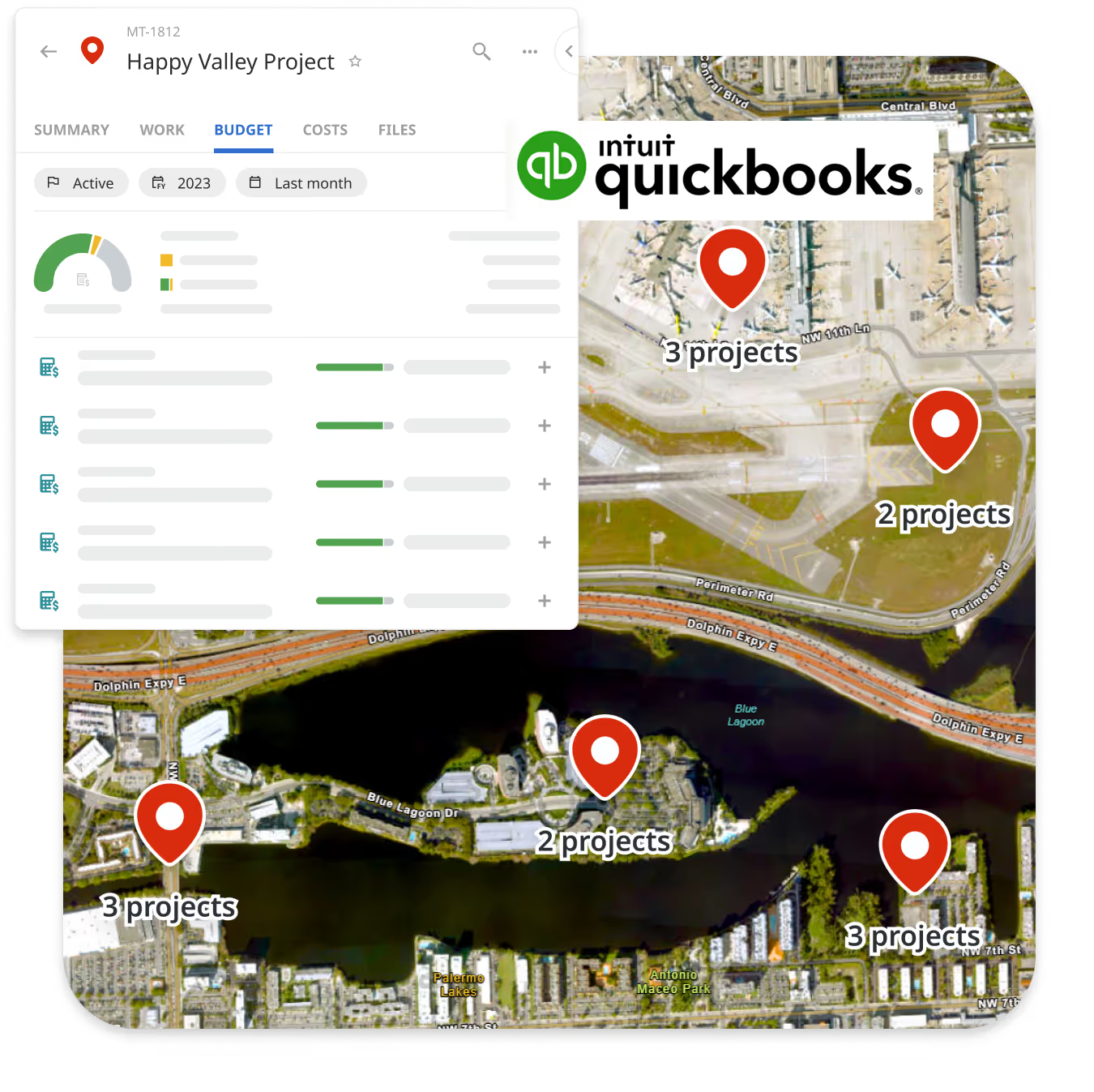
Operations sees QuickBooks budgets plus extra costs in Matidor, by project and by site. Project managers do not need QuickBooks access. They see how far along each project is against its true budget at any time.
Feature 5
Multi Site Portfolio Visibility
See all active project budgets on a live map. Filter by site, status, or budget health. Matidor gives your operations team the geographic context that QuickBooks reports cannot provide. Explore location intelligence.
Feature 6
One Place For Third Party And Flow Through Costs
Use Matidor to capture third party and flow through costs that are not normally entered into QuickBooks. Finance keeps the general ledger clean. Operations keeps the budget picture complete.
Built For Teams That Already Run On QuickBooks

Pain point list:
Industries Where This Integration Delivers The Most Value

Environmental Consulting
Firms managing site assessments and remediation work across multiple client projects get a complete view of budgets by combining QuickBooks financials with field level costs in Matidor. See environmental solutions
Construction And Infrastructure
Construction teams logging daily costs, equipment hours, and subcontractor work can track exceptions and out of system costs in Matidor while keeping official entries in QuickBooks.
Oil And Gas Operations
Operators tracking field consultants, contractor costs, and well site expenses across large programs align with QuickBooks project accounting while giving operations teams live visibility in Matidor. See oil and gas solutions
Multi Site Service Operations
Maintenance, inspection, and compliance teams working across many locations get site level budget visibility that combines QuickBooks information with extra operational costs in a single view. See all solutions


Available On Professional And Enterprise Plans
The QuickBooks Online integration is included on Matidor's Professional and Enterprise plans. It is the natural next step for teams that have outgrown spreadsheets but want to keep QuickBooks as their core accounting system.
Frequently Asked Questions
No. Matidor complements QuickBooks. QuickBooks remains your system of record for invoicing, payroll, tax, and financial reporting. Matidor uses data from QuickBooks to give operations live budget context and a place to track additional costs that do not belong in the accounting system.
Most teams are live within one to two weeks. The Matidor onboarding team maps your QuickBooks project and account structures, configures the default Labor and Expenses buckets for synced data, and validates the sync before go-live. The Professional plan includes guided implementation for the full platform.
The integration supports QuickBooks Online, including Plus and Advanced editions. It does not support QuickBooks Desktop. If your team is on QuickBooks Desktop, contact Matidor to discuss options.
QuickBooks sends project budgets, cost codes, and relevant chart of accounts context into Matidor. By default, synced financial data is grouped into Labor and Expenses for clear budget views. Regular labor and expenses remain in QuickBooks as the financial source of truth. In Matidor, your team can also track additional labor or expenses that are not entered into QuickBooks, such as third party and flow through costs, using any categories you define.
Yes. Project managers see real time budget status in Matidor based on the budgets synced from QuickBooks plus any extra costs tracked in Matidor. They do not need QuickBooks licenses.
No. The QuickBooks Online integration is available on Professional and Enterprise plans. Starter is a standalone platform for small teams getting off spreadsheets. When you need accounting integration, Professional is the next step.
See pricing
Yes. By default, synced financial data is grouped into Labor and Expenses in Matidor. If your chart of accounts requires more detailed groupings, the Matidor development team can configure a custom integration that matches your structure for imported data, while Matidor only costs can already use any categories you define.
See How Matidor Connects Your Field Work To QuickBooks
Book a 30 minute demo. The Matidor team will show how your QuickBooks budgets appear in Matidor, how to track extra costs that do not belong in your accounting system, and how project managers can manage to the real budget in one place.
What you will see in the demo:
- Your projects displayed on Matidor's live map with budget status based on QuickBooks data.
- How to track third party and flow through costs on top of QuickBooks.
- The budget and accrual views your operations team will use.
- Setup timeline and what onboarding looks like for your team and plan.
%201.avif)