
8 Essential Features in Modern Field Service Software
Field service management has changed significantly over the past decade. What once relied on printed job sheets, phone dispatching, and paper inspection forms is now handled by software that connects field teams and office staff in real time — across remote sites, poor connectivity, and complex regulatory environments.
The challenge is that not all field service software is built for the same kind of work. A scheduling tool built for HVAC technicians in a city looks very different from a platform built for pipeline inspectors, environmental consultants, or renewable energy site teams. Choosing the right platform starts with knowing which features actually move the needle.
These are the eight that matter most.
1. Real-Time GPS Tracking
Time and location are the two most critical variables in field service management, and real-time GPS tracking connects them. When project managers can see where their field personnel and assets are at any given moment, scheduling becomes more precise and response to unexpected events becomes faster.
The operational benefits include:
- Optimized routing that reduces fuel consumption and travel time between sites. Research in Transportation Research Part C: Emerging Technologies found that route optimization can cut fuel consumption by up to 15%
- Enhanced geospatial awareness, so field teams can quickly locate the nearest equipment depot, aggregate supplier, or support resource when needed
- Improved accountability, with a verifiable record of where teams were and when, supporting both project reporting and safety monitoring
For industries like oil and gas and infrastructure, where assets are spread across large geographic areas, GPS tracking is foundational to operational control.
2. Mobile Accessibility
Field teams are productive when their software works where they work. Mobile accessibility means team members can update job statuses, upload photos, log inspection findings, and access critical documents directly from a phone or tablet — without returning to the office.
Key mobile capabilities to look for:
- Instant job updates so team members can submit progress reports, attach photos, and flag issues the moment they occur
- Cloud syncing that keeps all data consistent across devices, eliminating the risk of team members working from outdated information
- Communication tools that allow field and office staff to exchange instructions and documents in both directions, from any location
Research in the International Journal of Business Information Systems found that mobile accessibility improves workflow efficiency by up to 25%. For mobile field data collection specifically, mobile-first design eliminates the paper-based handoffs that introduce most data entry errors.
3. GIS Integration
For organizations managing projects across geographic locations, GIS integration is the feature that separates purpose-built field service platforms from general-purpose ones. Geographic Information Systems provide interactive maps and spatial data that help teams see not just what is happening, but where — and how location affects decisions.
GIS integration supports:
- Site analysis, including terrain, environmental conditions, and infrastructure, so field teams arrive prepared
- Asset visualization on an interactive map, allowing project managers to allocate resources spatially rather than just by schedule
- Informed decision-making using location-based data that improves project planning and reduces surprises in the field
The Journal of Environmental Management has found that GIS tools significantly enhance the accuracy of environmental assessments. For teams working on environmental site inspections, renewable energy projects, or multi-site infrastructure programs, GIS is not an add-on — it is a core workflow tool.
See also: Top GIS Features for Project Collaboration
4. Scheduling and Dispatching
Scheduling and dispatching sit at the operational center of field service management. Modern platforms go well beyond calendar views, offering automated assignment logic and real-time adjustment capabilities that keep projects moving when conditions change.
Features that make a practical difference:
- Automated scheduling that assigns tasks based on technician availability, location, and skillset, removing manual effort and reducing the chance of mismatched assignments. Research in the Journal of Operations Management shows automated scheduling reduces scheduling errors by 30%
- Dynamic dispatching that allows immediate schedule adjustments when cancellations, delays, or emergencies occur
- Transparent notifications so both field teams and clients or stakeholders receive updates when schedules change
For environmental consulting and energy operations where permit windows and regulatory deadlines are fixed, scheduling accuracy directly affects compliance outcomes.
5. Offline Functionality
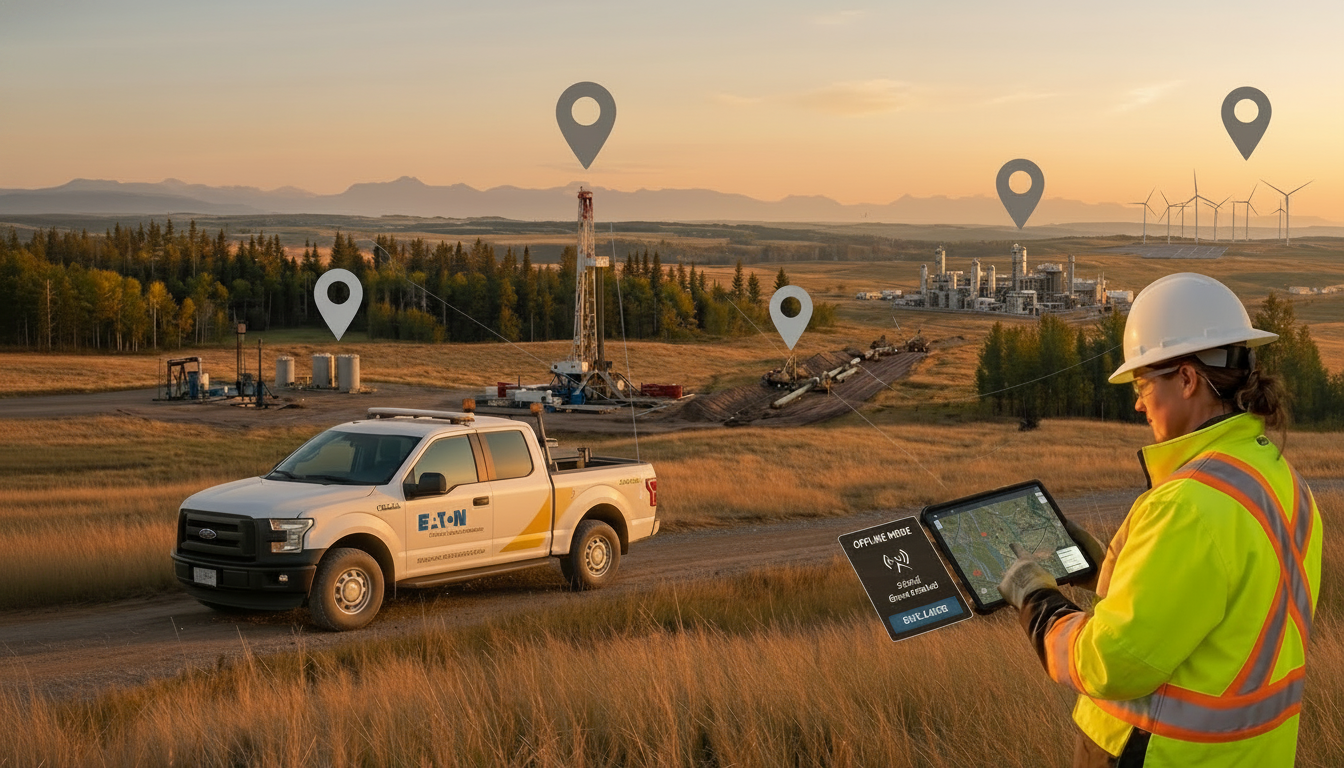
Remote sites often have limited or no cell coverage. A field service platform that requires a live internet connection is not a field service platform — it is an office tool that happens to run on a phone. Offline functionality ensures that teams remain productive and data collection continues regardless of connectivity.
Core offline capabilities include:
- Local access to project data, forms, maps, and reference documents so teams have everything they need on site without a signal
- A data queue that captures all entries and changes made offline and syncs them automatically when connectivity returns
- Conflict management to resolve cases where offline and central data diverge, with a full audit trail of changes
For a complete breakdown of how offline sync works in practice, see Offline Data Sync for Field Operations.
This feature is critical for pipeline inspection, oil and gas field operations, wilderness environmental assessments, and any project type where remote locations are the norm rather than the exception.
6. Customizable Reporting and Analytics
Data collected in the field only creates value when it can be analyzed and acted on. Robust reporting and analytics tools convert raw field inputs into insights that improve project decisions and support regulatory submissions.
Useful analytics capabilities include:
- Real-time dashboards showing task completion rates, resource utilization, and milestone progress across active projects
- Historical trend analysis that helps teams forecast resource requirements and identify patterns across seasonal or cyclical project types
- Customizable report formats tailored to specific project types, client requirements, or regulatory standards
Research cited in the Harvard Business Review emphasizes the importance of data-driven decision-making for operational efficiency. For environmental consulting reporting specifically, analytics tools that integrate with field data make it significantly faster to produce compliant, defensible submissions.
Real-time project tracking tools that surface live field data give project managers visibility without waiting for end-of-day summaries, and pairing reporting tools with real-time budget tracking means cost overruns surface earlier, when there is still time to act.
7. Secure Data Management
Field teams handle sensitive project data — site assessments, compliance records, client information, inspection findings — often on personal or shared devices in unsecured locations. Robust data security is a baseline requirement, not a premium feature.
Security features to evaluate when selecting a platform:
- AES-256 encryption protecting data stored on devices and transmitted to central systems, which research in Computers and Security suggests reduces data breach risk by up to 60%
- Role-based access control so each team member sees only the data their role requires, preventing both accidental and unauthorized changes
- Remote wipe capabilities for lost or stolen devices
- Automatic logout after inactivity at unattended devices
- Full audit trails recording every data change with timestamps and user attribution
For environmental monitoring and compliance work, audit trails are not just good practice. They are frequently required by regulators to verify the chain of custody for field data and support enforcement-ready documentation.
8. User-Friendly Interface
A platform with powerful features is only valuable if field teams actually use it. Interface design directly affects adoption rates, onboarding speed, and the rate of errors in day-to-day use.
What a well-designed field service interface looks like in practice:
- Intuitive navigation so new team members can complete core tasks — logging data, updating job status, submitting photos — without extended training
- Map-based visuals that make project context immediately understandable, reducing the need to interpret tabular data in the field
- One-click task updates that minimize the steps between field observation and recorded data
Research in the Journal of Organizational Behavior found that user-friendly tools improve adoption rates by up to 40%. For multi-crew operations where not all team members are technically proficient, interface simplicity is a force multiplier — it determines whether the investment in better software actually changes how people work.
How These Features Work Together
The value of these eight features compounds when they are part of a single, integrated platform rather than separate tools. GIS integration makes GPS tracking spatial. Offline functionality makes mobile accessibility reliable in the field. Secure data management makes customizable reporting trustworthy. Automated scheduling makes real-time tracking actionable.
Organizations that move from disconnected tools and paper workflows to an integrated platform report improvements across efficiency, compliance, and team coordination. The benefits of field service management software extend beyond any single feature — they emerge from the way a well-designed system connects field teams, project managers, and data in a single workflow.
Which Industries Benefit Most
These features apply across field-intensive sectors, though priorities vary:
- Environmental services: Offline functionality, GIS, and customizable reporting support environmental impact assessments and compliance documentation in remote areas
- Energy and oil and gas: Real-time GPS tracking and GIS integration streamline pipeline inspections and equipment maintenance across large, distributed asset networks
- Renewables: Scheduling tools and budget tracking help keep multi-site renewable energy projects on time and within budget
For teams evaluating platforms, the questions worth asking are whether the software handles offline environments, integrates with GIS, and scales across multiple concurrent projects — because those are the requirements that general-purpose tools tend to fail on first.
See how Matidor combines all eight of these features in a GIS-native platform built for field operations.

.jpg)

.png)




.jpg)

.jpg)
.jpg)
.jpg)


.jpg)