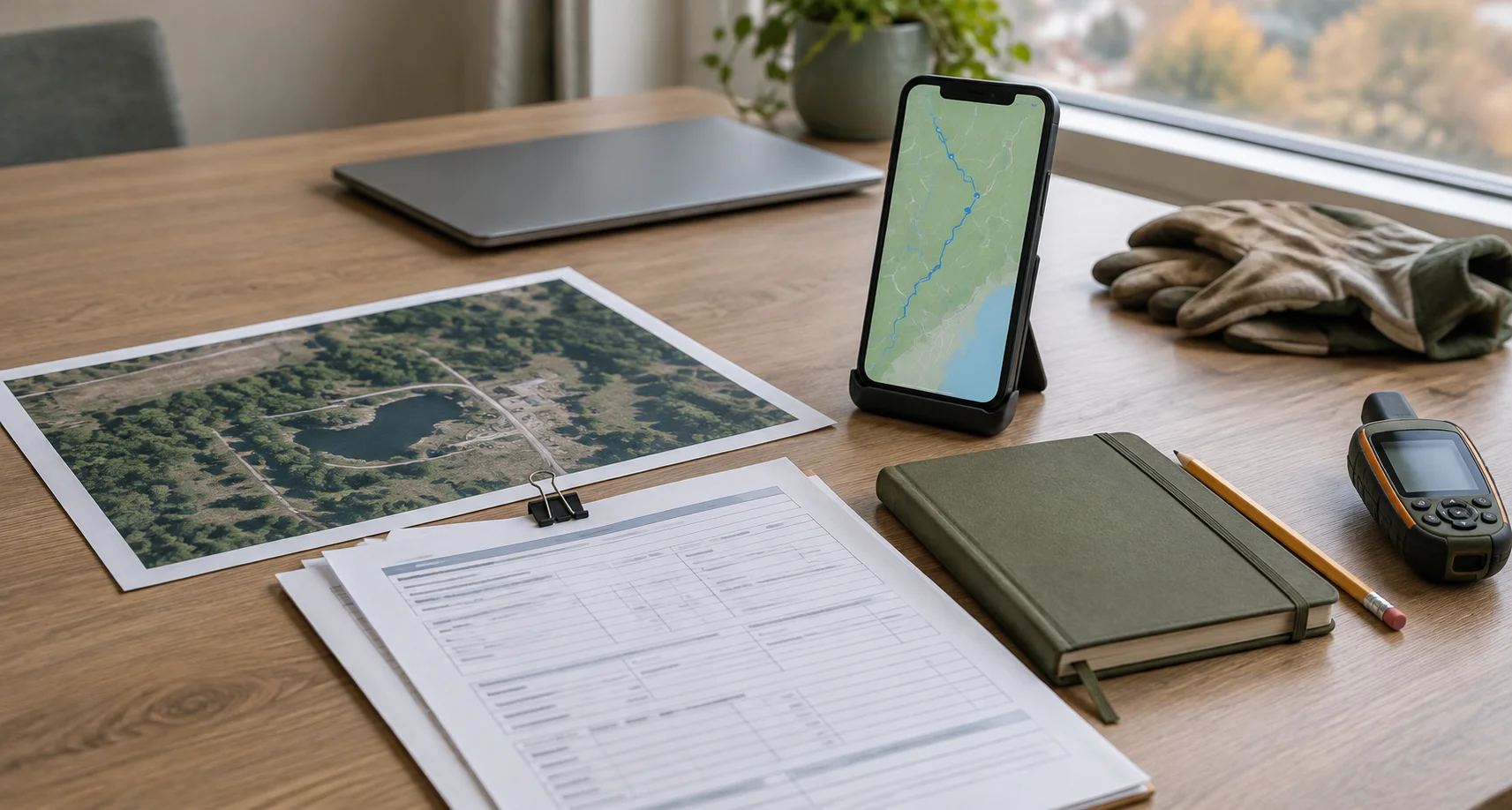

A year-end environmental reporting checklist helps teams confirm that site records are complete, reviewed and ready to support the next reporting period. Start with the site register, connect the evidence, check review status, explain outstanding work, reconcile costs and assign the 2027 handoff.
Imagine opening a site folder to prepare the annual update. The field visit is marked complete, but the laboratory report is still awaiting review. The latest photographs are on a technician’s phone. A contractor invoice has not arrived. Next year’s plan already assumes the site is ready for the next phase.
Which version of “complete” should the report use?
Before closing 2026, give each site a record that answers that question. This checklist is for environmental consultants and operators managing assessments, remediation, reclamation and monitoring across multiple locations.
It is an operational readiness guide, not a substitute for the reporting conditions in a permit, approval or client agreement. Use the reporting period and deadlines that apply to your program; not every environmental report follows the calendar year.
Start With Six Checks
Use these questions to identify where a site needs attention before report preparation begins.
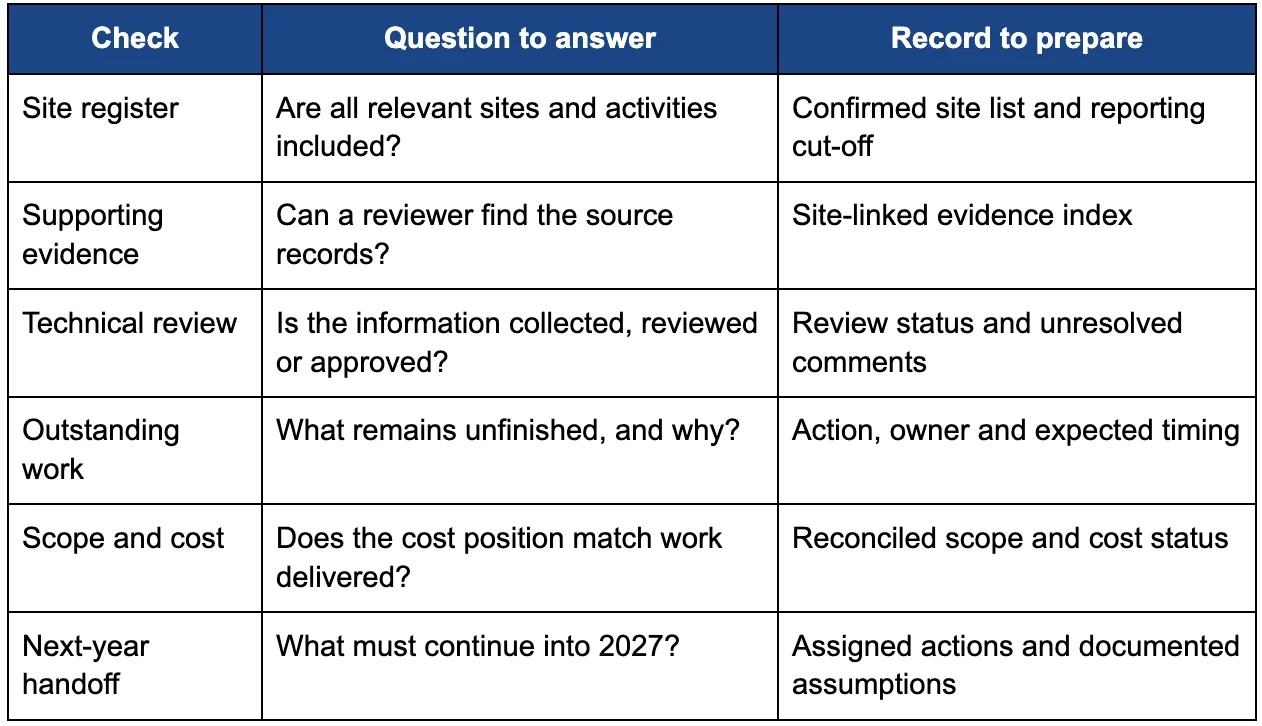
Confirm the Site Register
Start with the list of locations, not the report template.
Check that every site in the reporting scope has a consistent identifier, an accountable project manager and a current activity description. Resolve duplicate names and missing locations before bringing information together.
Separate the reporting cut-off from the date someone last edited the record. A November update may describe October fieldwork, while a December cost entry may relate to an earlier visit. Keep the activity date visible alongside the record’s update date.
Check sites with little recent activity too. An inactive project may still have an unresolved monitoring task, reporting commitment or client decision. “No fieldwork this period” should be an explained status, not a reason the location disappears from the register.
Done when: the team agrees which sites, activities and dates the report covers.
Connect the Supporting Evidence
For each site, build an index that points reviewers to the records behind the update. Include the evidence relevant to that assignment, such as field notes, photographs, sample records, laboratory reports, maps, correspondence and earlier deliverables.
For sampling work, preserve the identifiers that connect the location, collection event, sample and laboratory result. B.C.’s field sampling guidance addresses sample-history records and traceability, while its groundwater guidance explains the role of chain-of-custody documentation.
Use the applicable sections of the B.C. Field Sampling Manual when planning and checking work within its scope. Organizing files is not a replacement for following the required sampling methods or completing technical review.
Do not rename original laboratory identifiers simply to make a project register look consistent. Instead, document the relationship between the site’s naming convention and the source identifier.
Maps should provide context, not unsupported certainty. If a route was recorded with phone GPS, identify its purpose and limitations rather than presenting it as a surveyed boundary. See how Path Recording captures field routes for an operational example.
Done when: a reviewer can move from the site update to the source evidence without asking the original author where it is stored.
Check the Review Status
An uploaded file is not automatically ready for use in a client deliverable.
Define the review stages your team actually uses. A practical sequence might be collected, awaiting review, returned for clarification and approved for the intended deliverable. Record who owns the next step, rather than relying on an unexplained colour.
For laboratory information, check that the relevant certificates, supporting quality information and any revised reports are available to the qualified reviewer. B.C.’s stewardship water-quality QA/QC guidance includes checking field-to-laboratory correspondence and documenting identified issues and their resolution.
A coordination check should establish whether review has happened; it should not substitute a project manager’s status update for scientific interpretation. Keep technical sign-off with the appropriately qualified person.
This is the practical distinction behind reporting readiness before the final report: know what is available and what is ready to use.
Done when: each important record has a clear review state, reviewer and visible unresolved issue, if any.
Explain the Unfinished Work
Do not let a single “complete” label describe several different milestones.
Fieldwork may be finished while analysis, interpretation, client review or a formal submission remains outstanding. Give those activities separate statuses so the report does not suggest that one milestone proves the others are complete.
For every open item, record what is missing, why it matters, the next action, the responsible person and the expected timing. Distinguish work that remains in scope from work awaiting authorization.
For example, a monitoring visit could be recorded as: “Field sampling completed; laboratory results received; technical review pending; reviewer assigned.” That is a hypothetical status example, not a completed-project claim. It tells the next person far more than “site complete.”
Done when: another team member can understand what remains and move it forward without reconstructing the project history.
Reconcile Scope and Cost
Review the financial position beside the work record, using definitions agreed with finance.
Separate approved budget, recorded actual costs, outstanding invoices or accruals, remaining commitments and the estimate for unfinished work. Confirm what each figure includes so the same cost is not counted twice.
A site that appears under budget may still have unbilled work. A site with little remaining funding may have an unresolved scope change. Identify those conditions before the annual update becomes the starting point for next year’s allocation.
Keep the explanation alongside the numbers: the approved scope, the change that occurred, its approval status and the basis for the remaining estimate. For a broader planning framework, see building a defensible 2027 field program budget.
Done when: the team can explain both the work delivered and the cost still expected, without treating a budget balance as proof of completion.
Assign the 2027 Handoff
Before rolling a site into the next program, document what the receiving team needs to know.
Record the next activity, reason it is needed, timing, owner, estimate basis and dependencies. Flag pending access arrangements, client decisions or technical findings that could change the proposed work.
Preserve the approved 2026 reporting record under your organization’s document-control and retention procedures. Carry open actions forward with their history; do not overwrite last year’s explanation with this year’s plan.
A spreadsheet can be a useful checklist. It should not be the only place where the relationships between sites, evidence, decisions and responsibilities make sense. That is the distinction explored in the spreadsheet quietly running your multi-site program.
Done when: the receiving team can see what continues into 2027, what remains uncertain and who owns the next decision.
Give Each Site a Clear Record
Choose one site and test the checklist before applying it across the portfolio. Ask someone outside the day-to-day work to find its latest evidence, explain its review status and identify the next action.
If they need several emails to answer, use those gaps to improve the record—not just the wording of the final report.
For remediation and reclamation teams, Matidor brings site locations, field information, documents and budget context into a map-based workspace. Use the trial to explore how that structure could support your own reporting workflow, while keeping technical review and formal reporting responsibilities with your team.
Explore the free 14-day trial. No credit card required.
Prefer to discuss your program first? Book a demo.
.webp)
.webp)
.webp)
.webp)
.webp)
.webp)
.webp)
.webp)
.webp)
.webp)
.webp)
.webp)
.webp)
.webp)
.webp)
.webp)
.webp)
%20(2).webp)
.webp)
.webp)
.webp)

















.webp)
.webp)


.jpg)

%20(1).webp)




.jpg)

.jpg)
.jpg)
.jpg)

.jpg)