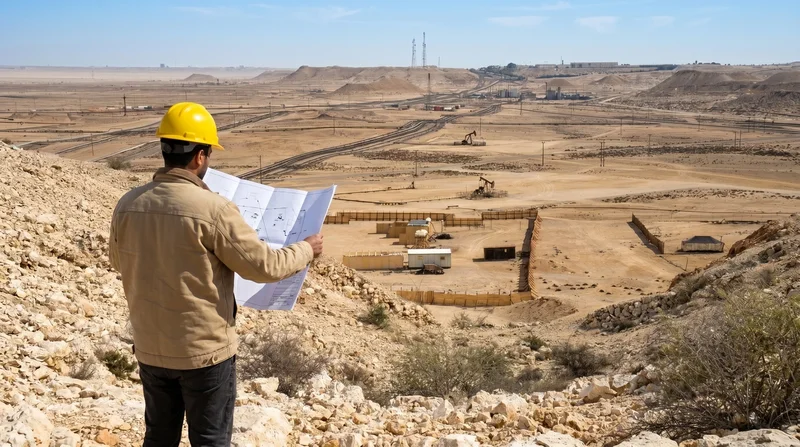

The gap between field cost and actual cost is the time between when work happens in the field, recorded on a field ticket, and when the vendor's invoice arrives and the cost becomes "actual." You close that gap by recording every cost the day it is incurred, tagged with its ticket number, then matching it to the invoice number when the bill arrives, so your budget reflects what has been spent instead of what has been billed.
That sounds simple. In practice, most field programs carry costs in two places at once: tickets in trucks, inboxes, and site binders, and invoices in accounting. Until the two meet, the budget report shows a version of the project that is already out of date.
This guide explains why the delay exists, what it costs a field program, and a practical two-number method (ticket number first, invoice number second) that keeps budgets current on remediation, abandonment and reclamation, environmental assessment, and construction projects.
Key takeaways
- A field cost is what you know the work cost when it happens. An actual cost is what the vendor bills, often days or weeks later.
- The delay is normal. The risk is making budget decisions while the delay is invisible.
- Record each cost when it is incurred, against the right budget and cost code, with the field ticket number.
- When the invoice arrives, add the invoice number to the same cost record and update the amount if it changed.
- Any cost with a ticket number but no invoice number is an open item: it is spent, but not yet billed.
- Review mismatches regularly: tickets without invoices, invoices without tickets, and amounts that do not agree.
What is a field cost, and what is an actual cost?
A field cost is the cost of work at the moment it is performed. A vac truck runs for a shift, a drilling subcontractor completes three boreholes, a lab receives a cooler of samples, or a crew rents a loader for two days. The evidence is usually a field ticket: a daily or job ticket signed on site that lists hours, equipment, materials, and rates. The field cost is an estimate, but it is the earliest and often the most accurate signal of spend.
An actual cost is the cost once the vendor's invoice is received, approved, and posted. It carries an invoice number and is what accounting reports as spent.
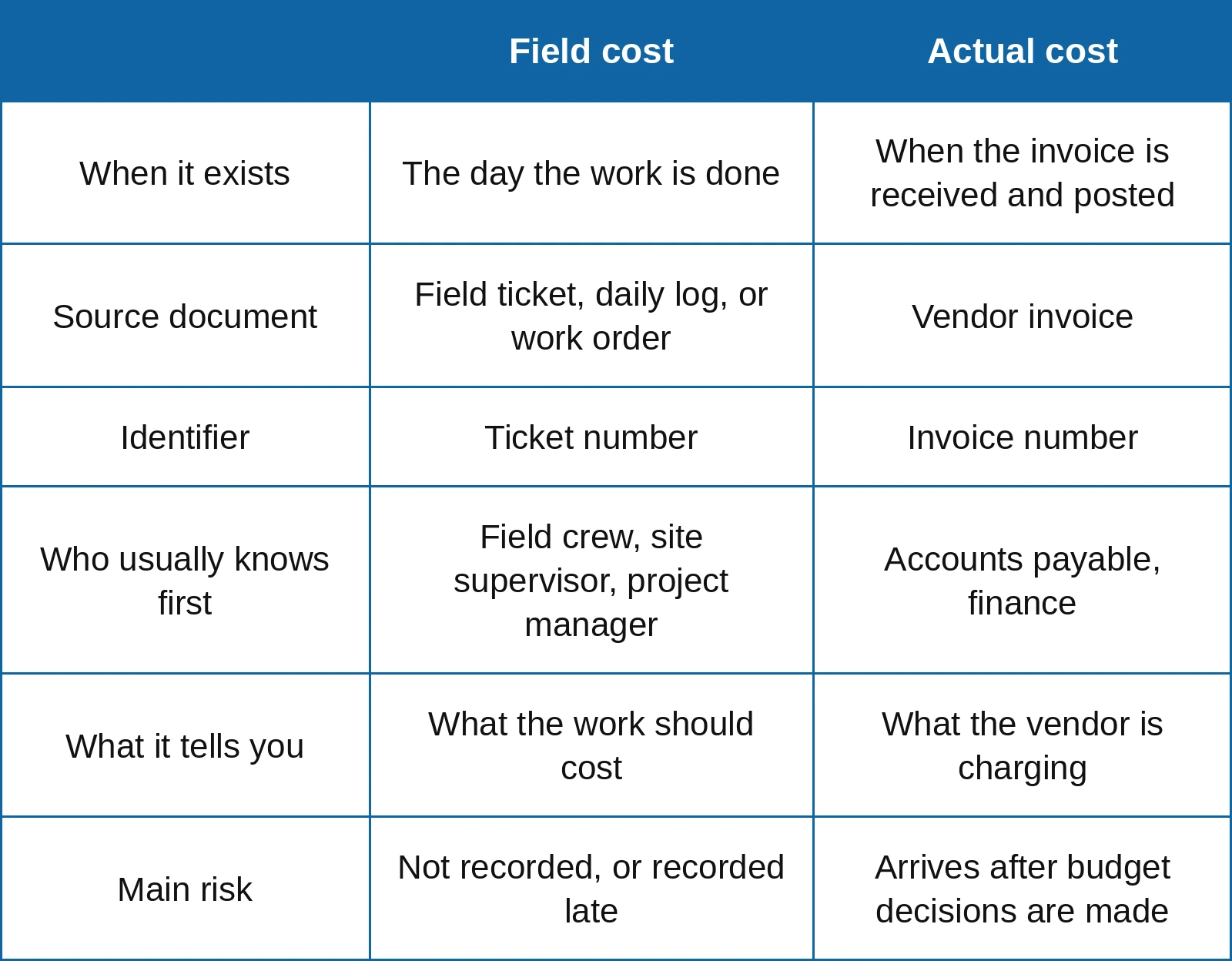
Both numbers matter. The field cost tells the project manager where the budget stands today. The actual cost confirms it and is what the client, the operator, or the auditor will see.
Why there is a delay between field cost and actual cost
The lag is built into how field work is billed. Common reasons include:
- Vendor billing cycles. Contractors often invoice weekly, monthly, or at the end of a job rather than after each shift.
- Paper tickets in the field. Tickets signed on a tailgate can sit in a truck or a site binder until someone brings them back to the office.
- Remote sites. Crews working without reliable connectivity may not send ticket details until they are back in coverage.
- Multiple vendors per site. One remediation or abandonment site can involve trucking, excavation, environmental monitoring, lab analysis, and disposal, each billing on its own schedule.
- Invoice review and approval. Invoices are checked against tickets, coded, and approved before they are posted. Disputes add more time.
- Month-end timing. Work done late in a period is often invoiced in the next one.
None of this is a failure. It is how contracted field work operates. The problem starts when the budget report only shows invoiced costs, because then it shows the project as it was, not as it is.
What the delay costs a field program
When field costs are not visible until invoices arrive, several things tend to happen.
Budgets look healthier than they are. If a site has two weeks of unbilled work, the remaining budget on paper is higher than the remaining budget in reality. A project manager approving more scope against that number is working with incomplete information.
Overruns surface late. By the time invoices push a cost code over budget, the work is already done. The decision point has passed.
Accruals rely on memory. At period end, someone has to estimate work performed but not yet billed. Without a ticket-level record, that estimate is often pieced together from emails, phone calls, and site supervisors' recollections.
Invoice disputes are harder to resolve. When an invoice includes hours, equipment, or charges that do not match the field ticket, the ticket is the evidence. If the ticket was never recorded, or cannot be found, the conversation becomes harder.
Spend targets become harder to hit. Some programs, such as regulated closure work or client-funded programs with spend commitments, need to land close to a budget, not just under it. Late visibility makes both underspend and overspend harder to manage.
A hypothetical example
Hypothetical example: the scenario below is for illustration only. It does not describe a specific Matidor customer, project, or vendor.
An environmental consultant is running a remediation program across several sites for an operator. At one site, a vac truck contractor works four days in a week. The site supervisor signs a field ticket each day.
- Without a ticket-level record: the tickets travel back with the crew and are filed. The contractor invoices at the end of the month. Until then, the project budget shows no vac truck cost for that week. Meanwhile, the project manager approves additional excavation at the same site because the remaining budget looks comfortable. When the invoice arrives, the cost code is over budget, and one invoiced line does not match any signed ticket.
- With a ticket-level record: each day's ticket is entered as a cost against the site's budget and cost code, with the ticket number, the day it is signed. The project manager sees the spend before approving more excavation. When the invoice arrives, accounts payable or the project manager finds the matching costs by ticket number, adds the invoice number, and immediately sees the line that has no ticket behind it.
Same work, same vendor, same invoice. The difference is when the project team could see the cost.
The two-number method: ticket number first, invoice number second
The simplest way to close the gap is to treat each cost as one record with two identifiers, added at two different times.
1. Record the cost when it is incurred
Enter the cost the day the work is done, or as soon as the ticket is in hand. Capture:
- Budget and cost code
- Vendor
- Date of work
- Estimated amount from the ticket
- Field ticket number
- Notes (scope, equipment, hours, or site context)
This record is your field cost. It is what the budget should reflect immediately.
2. Leave the invoice number blank until the invoice arrives
A cost with a ticket number and no invoice number is not an error. It is an open item: work performed, not yet billed. Taken together, open items show your unbilled exposure by site, budget, and vendor.
3. Match the invoice to the existing cost
When the invoice arrives, do not create a second cost for the same work. Find the existing record by ticket number, add the invoice number, and update the amount if the invoiced figure is different. Note the reason for any change.
4. Review open items on a regular schedule
Weekly works for many field programs. Look for:
- Tickets older than the vendor's normal billing cycle with no invoice number
- Invoices with no matching ticket
- Invoiced amounts that differ from ticket amounts
- Costs coded to the wrong budget or cost code
5. Use open items to support period-end accruals
Because every unbilled cost already has an amount, a date, and a vendor, the list of open items gives finance a documented starting point for accruals, rather than an estimate built from memory. How accruals are booked follows your organization's accounting policy, so agree on the process with your finance team.
6. Close the record when it is reconciled
Once the invoice number is added and the amount agrees, the cost is complete. The budget now reflects actual spend, and the ticket number remains as the link back to the field evidence.
Common mismatches and what to do about them
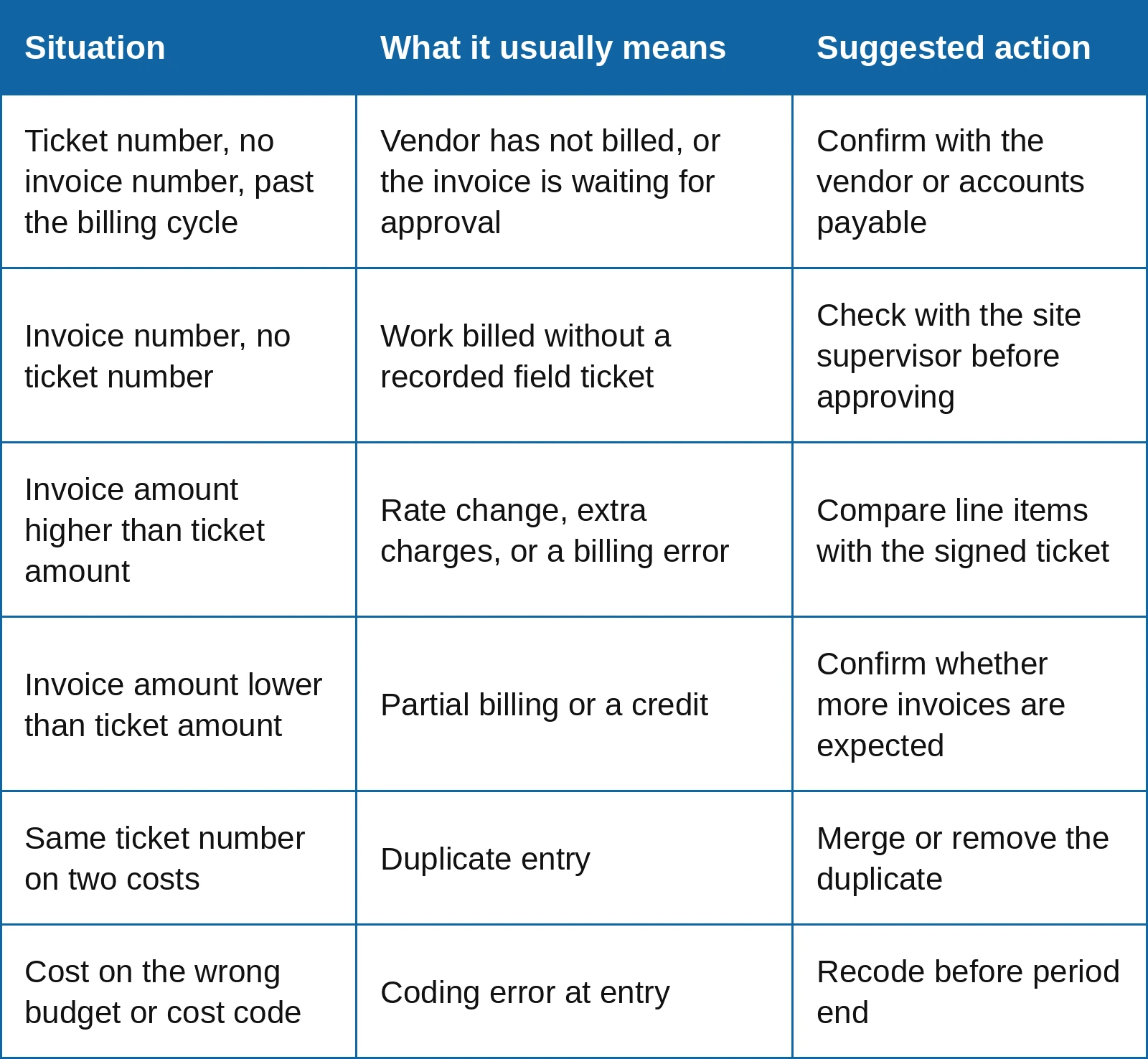
Table of five field ticket and invoice mismatches, such as a ticket with no invoice or differing amounts, with likely causes and next steps.
Who this matters to
Environmental consultants and field services project managers coordinating drilling, lab analysis, and other subcontractors across ESA phases, remediation, and monitoring programs, where client budgets are fixed and change orders need evidence.
Oil and gas operators running abandonment and reclamation programs or tracking spend against AFEs, where many vendors work across many wells and closure budgets need to land close to plan.
Construction and engineering project managers managing subcontractors, equipment rentals, and materials on remote or multi-site infrastructure work.
In each case, the people who know the cost first are in the field, and the people who receive the invoice are in the office. The method above simply gives both groups the same record.
How Matidor supports field cost tracking
Matidor is map-based project management software for field operations. Projects, work, budgets, and costs are tied to a location on a live map, and budgets are built from cost codes.
In Matidor, a cost represents estimated spending in the field, which fits the two-number method directly:
- Costs are logged against Active budgets and cost codes. Each cost records the vendor, date, amount, notes, and both a ticket number and an invoice number.
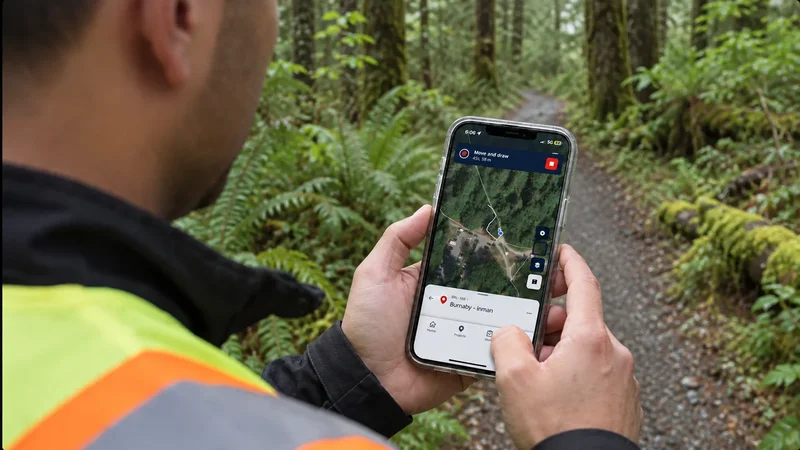
- Field teams can enter costs from Matidor Go, the mobile app, while the project is online, and add, edit, or delete costs as details change. Contributors can edit costs, so the invoice number can be added to the same record when the bill arrives.
- Budgets show total budget, accumulated costs, and remaining budget, so the project team sees the effect of each cost as soon as it is entered.
- Budget email alerts are sent at 70%, 90%, and 100% of budget, which gives a project manager earlier warning when field costs are recorded promptly.
- Cost reports and exports, including cost summary and daily cost reports, support reviews with finance or clients.
- Table views let teams choose columns, filter, and save shared views of costs. Workspace Managers can add custom fields to the cost template, for example an invoice status dropdown, to make open items easier to review.
The Professional plan includes a QuickBooks Online integration, and the Enterprise plan lists integrations including Deltek Vantagepoint, Harvest, and Replicon. See the pricing page for details by plan.
Karve Energy's sustainability team uses this kind of daily cost entry on its remediation program. In the team's words: "Our consultants are expected to add costs in daily. We use this for accruals and can see how close we are to spend, which is very important with mandatory spend." Karve reports managing its budget within 1%. Read the Karve Energy story.
For related reading, see AFE tracking for oil and gas field operations and how to track field project budgets in real time.
Frequently asked questions
What is the difference between field cost and actual cost?
A field cost is the cost of work recorded when it is performed, usually from a field ticket. An actual cost is the cost once the vendor's invoice is received and posted. The field cost is the earlier signal; the actual cost is the confirmed figure.
What is a field ticket?
A field ticket is a document completed on site, usually daily or per job, that records the hours, equipment, materials, and rates for work performed by a contractor or crew. It is typically signed by a site representative and later used to check the vendor's invoice.
Why do invoices arrive so long after field work?
Vendors often bill on weekly, monthly, or end-of-job cycles. Tickets may also need to travel back from remote sites, and invoices go through review and approval before they are posted. Work done late in a period is often invoiced in the next one.
How do you reconcile field tickets with invoices?
Record each cost with its ticket number when the work is done. When the invoice arrives, find the matching cost by ticket number, add the invoice number, and update the amount if it changed. Then review any tickets without invoices, invoices without tickets, and amounts that do not agree.
Can Matidor track field ticket numbers and invoice numbers?
Yes. Each cost in Matidor includes fields for a ticket number and an invoice number, along with the budget, cost code, vendor, date, amount, and notes. Teams can record the ticket number when the cost is incurred and add the invoice number to the same cost later.
Start tracking field costs when they happen
The delay between field cost and actual cost will not disappear, because vendors will keep billing on their own schedules. What can change is when your team sees the cost. Record the ticket number when the work happens, add the invoice number when the bill arrives, and your budget stays current in between.
Matidor offers a 14-day free trial with full platform access and no credit card required. See plans and start a free trial.